
Stone HTML Templates
Granite slabs, limestone pavers, and marble tiles need more than attractive photos. Ready-made HTML sections can pair each stone's surface details with dimensions, finishes, and applications, while keeping the information readable on desktop and mobile screens.
-

-

-
-
-
-
-
-
-
-
Free Website Builder SoftwareDownload
-








More HTML Templates from Nature Category


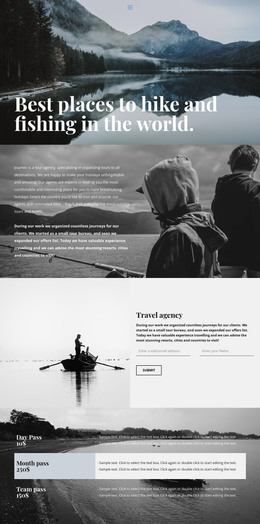






















Other Nature HTML Templates
Minimal Stone HTML Templates for Customizable Pages and Blocks
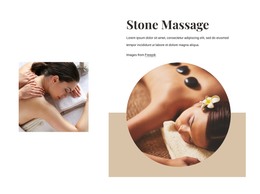
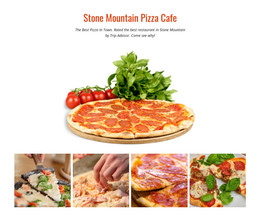
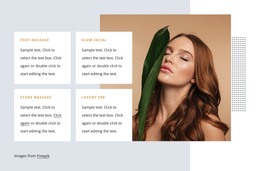
Stone HTML templates on Nicepage are page designs and blocks that you fill with your own content and then export as HTML files. Most designs here were made for massage studios, while Crushed Stone and Stone Mountain Pizza Cafe show how far the word stretches.
Choosing Stone HTML Layouts and Blocks
A full page is judged by the order of its sections, and a single block by how well it handles one job. Three kinds of sections matter most for stone projects:
- Product details for a supplier like Crushed Stone, with a material photo next to its size and typical use, such as 3/4 inch gravel for a driveway base.
- A hot stone massage service block that shows the treatment name and price and still leaves room for the session length.
- A quote or booking form with space for a note about delivery or a preferred time.
A large photo block suits one signature treatment, while a compact price card fits several on a single screen. A well-built material card can be copied for everything you carry, from pea gravel to flagstone. Each copy is edited by hand, so filters or catalog search would need extra development.
How Sections Behave on Phones
Nicepage Responsive Modes let you adjust each section at tablet and phone widths. A close-up of crushed stone can shrink into gray noise while remaining recognizable. Massage photos are often dim and warm, and white text laid over them can fade. Adding a darker backing or moving the text below the image usually fixes it. Long material names can push the price onto a new line or bury the button, so test cards with real content. Alt text should describe the picture itself, such as smooth basalt stones on a towel.
Getting Exported Files Online
Nicepage exports the finished project as HTML files with scripts and images. You can save them to a folder or as a ZIP package. The guide to HTML export walks through the process. The files are not tied to Nicepage Hosting, so they can go to your own server or to a developer who edits the markup directly. Later edits in Nicepage reach that server only after a new export.
Once the files are live, check that every photo loads and the quote button opens the right form. That form may still need extra setup before it sends requests.
The block you plan to copy most makes the best final test. It should hold real content, adapt without a rebuild, and load cleanly from your server.