
2360 Text On Image HTML Templates






































































































Practical Text On Image HTML Templates for Customizable HTML Projects
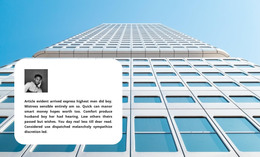
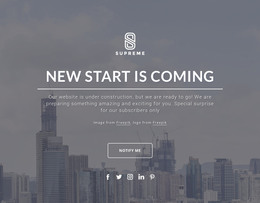
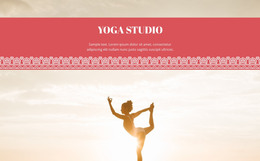
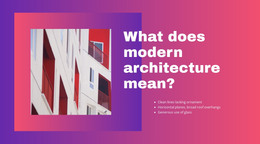
Text On Image HTML Templates provide ready-made, responsive HTML sections for projects where a dominant image and its message need to work as one composition. Instead of building the block from the beginning, you can choose a prepared template, customize the image and copy, and use the section within a broader HTML website or project.
The HTML context adds implementation and output options, but it does not reduce the category to structure alone. These templates are also customizable product-ready blocks intended for practical use in an HTML website builder workflow.
Start With a Ready-Made HTML Section
A Text On Image HTML template typically includes:
- a dominant image or background area;
- a headline connected to that visual;
- supporting copy within the same section;
- optional metadata or CTA elements when the content requires them.
The template provides a ready-made starting point you can adjust for different content and project needs. An announcement section, for example, can use the same image-led format when a concise update needs a strong visual context.
Customize the Block for an HTML Website
After selecting a suitable section, adapt the content while keeping the image-message relationship clear.
A practical workflow can include:
- replacing the dominant image;
- updating the headline and supporting text;
- adapting optional metadata or CTA elements;
- checking how the block fits surrounding content;
- preparing the section for use in the wider HTML project.
The goal is not to treat HTML only as markup structure. The template is a ready-made responsive HTML block that combines visual customization with a broader HTML website context.
Keep Responsive Use in Mind
A Text On Image HTML template should remain usable across screen sizes, but responsive positioning is not the main focus here. The important point is that the ready-made block remains a customizable section within the broader HTML website or project.
Use HTML Export as an Additional Project Option
Nicepage supports HTML website output from projects created in the desktop application. The HTML export workflow explains that project-level process.
Export and integration are useful parts of the HTML context, but they are supporting capabilities rather than the entire intent. The central product remains a ready-made Text On Image HTML template that can be customized and used in a broader HTML website or project.
HTML Templates and CSS Templates
HTML Templates and CSS Templates can both support the same visual pattern, and their roles can overlap in a real project.
For this category, the emphasis is on the ready-made HTML template and its use within an HTML website/project, including responsive output and integration. CSS can still contribute to presentation, contrast, spacing, and positioning, but those styling details do not define the entire HTML-template intent.
Text On Image vs Text & Button
Text & Button centers the proposition and explicit action. Text On Image centers a dominant visual and the message connected to it.
A button may appear, but the image still carries meaning, context, or visual priority. Choose Text On Image when removing the image would materially weaken the section rather than serve a standard text-and-action layout.
FAQ About Text On Image HTML Sections
What Content Belongs in a Text On Image HTML Template?
The core section includes a dominant image or background area, a headline, and supporting copy. Optional metadata or a CTA can be added when needed.
Are Text On Image HTML Templates Customizable?
Yes. A ready-made HTML section can be adapted by changing its image, copy, optional action, and surrounding project content while preserving the image-message relationship.
Can a Nicepage Project Be Exported as HTML?
Yes. Nicepage supports HTML website export from its Windows and Mac desktop applications. Export is an additional project-level option for using the customized section within a broader HTML workflow.
Adapt the Template for an HTML Project
Choose a ready-made responsive Text On Image HTML template whose image and copy already create the right visual hierarchy. Customize the content, check how the section works with the surrounding project, and use export or integration options when they fit the broader HTML website workflow.






















































