
Overlap Block HTML Templates
































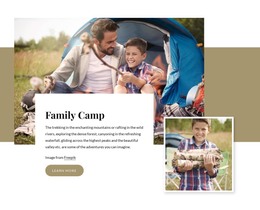








Creative Overlap Block HTML Templates for Reusable Section Layouts
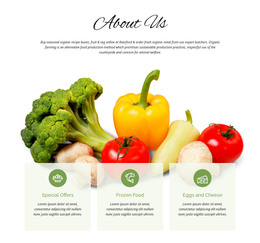
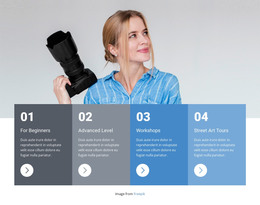
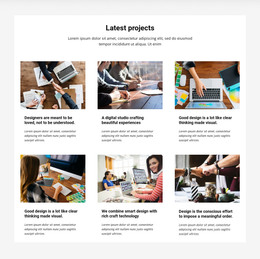
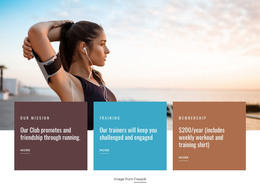
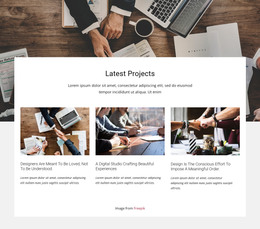
Overlap Block HTML Templates give you a ready-made section structure in which images, text cards, and color panels already work together as one composition. Instead of building relationships between every element from scratch, you can start with a prepared block, swap the content, and adapt the section to the surrounding HTML page.
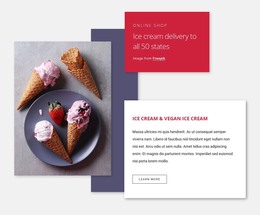
The main value is the combination of visual depth and reusable content structure. A large image may anchor the layout while a text panel crosses its edge, or a background field may extend behind several content pieces. The result feels more editorial than a sequence of isolated rectangular rows.
What Makes an Overlap HTML Template Practical?
A prepared overlap block gives you a defined arrangement you can adapt without changing the section's core logic. Typical structures may include:
- a dominant image paired with a compact text card;
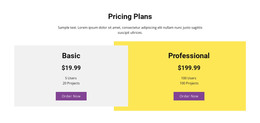
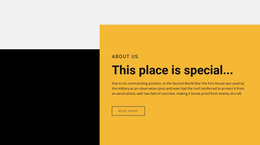
- a foreground panel crossing a broader background area;
- supporting copy and a small action grouped around one visual anchor.
This template works well when you need a section with a clear hierarchy, content order, and visual relationships between parts. The markup and content structure support the composition, while you can adjust the copy, imagery, spacing, and styling for the project.
Ready-Made HTML Sections for Different Page Contexts
An overlap section can fit many kinds of HTML pages without becoming a complete site on its own. It may work as a feature area on a service page, an editorial story block, a product highlight, or a visually stronger transition between quieter sections.
The best choice depends on what the section needs to communicate. For example:
- feature content can pair an image with explanatory copy;
- promotional content can place a short offer over a visual field;
- brand storytelling can use asymmetry to connect text and imagery more closely.
Nicepage provides pre-designed Elements and Blocks that can be adapted in the editor for this type of mixed-content composition. Responsive Modes help you check how the layout behaves across Large Screen, Desktop, Laptop, Tablet, and Phone views.
Adapt the Structure Without Losing the Overlap Effect
When editing a template, keep the visual relationship that makes the block recognizable. Replacing a wide image with a very narrow one, greatly expanding a text card, or removing the crossing edge can change the balance of the original section.
A practical editing sequence is to preserve the main structure first, then adjust the details:
- replace the image and copy while keeping the intended focal relationship;
- refine spacing and panel size around the new content;
- check responsive views so the overlap still reads clearly on narrower screens.
Nicepage also supports HTML export from the Online Builder for hosting on another server. This is a supporting publishing option rather than the defining purpose of the template: the primary benefit is still the prepared HTML-oriented section you can reuse and adapt.
How Does It Differ from Layered Images or Over Grid?
Layered Images centers on several images stacking or intersecting with one another. An Overlap Block can combine different content types, so a text card or color panel may be just as important as the image.
Over Grid keeps a recognizable grid beneath the foreground element. An Overlap Block does not require repeated cells; its structure can be more asymmetrical and depend on a single image-panel or panel-panel relationship.
Overlap Block HTML Template FAQ
Can I Use an Overlap HTML Template as One Section of a Larger Page?
Yes. The block is designed to function as a reusable section within a broader HTML page or project. You can adapt its text, imagery, spacing, and visual treatment to match the surrounding content.
Can I Start from Pre-Designed Nicepage Content?
Yes. Nicepage includes pre-designed Elements and Blocks that can be placed and adapted in the visual editor. Choose a composition whose existing structure already fits the type of content you need to present.
Can I Export an HTML Project from Nicepage Online?
Yes. Nicepage Online supports HTML export for hosting on your own server. The Overlap Block remains one section within the wider exported project.
Can I Import an Existing HTML Page into the Nicepage Editor?
No. Nicepage does not support importing an existing HTML site into the editor. An existing layout would need to be recreated as a Nicepage project.
Choose a Prepared Overlap Section for Your HTML Project
Start with a template whose image, text, and panel structure already supports the message you want to emphasize. Replace the content, refine the visual balance, and test the section in Responsive Modes. A strong result keeps the block easy to reuse, easy to adapt, and visually distinct without turning the overlap itself into unnecessary complexity.





















































