
Video HTML Templates








Lightweight Video HTML Templates for Media Websites
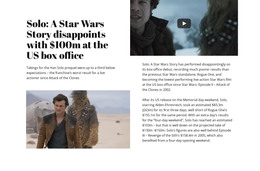
Video HTML Templates provide a ready-made video-oriented website implemented as an HTML front end. They can support streaming-style projects, filmmaker portfolios, production sites, tutorials, or media libraries through connected HTML pages, navigation, repeated video cards, detail pages, and responsive front-end behavior. The key intent is a prepared HTML-based site implementation, not generic website planning and not a tutorial about native <video> markup.
What Should a Video HTML Template Include?
The HTML page set can vary, but useful parts of a ready-made HTML site structure include:
- HTML navigation that connects home, collections, projects, and supporting pages;
- featured-video areas implemented inside the HTML front end;
- HTML video grids or library layouts for repeated media entries;
- HTML detail pages with a player, title, description, credits, or related content;
- responsive HTML layouts that keep browsing and playback usable across screen sizes.
The Nicepage Video Element provides the direct media component and supports YouTube, Vimeo, hosted video, and uploaded video. The template supplies the broader HTML front-end implementation around those media areas.
Adapt the Ready-Made HTML Structure to the Project
The value of an HTML template is that the project starts with connected HTML page layouts instead of an empty front end. Replace example clips, poster images, titles, descriptions, and project entries, then adjust the HTML navigation and repeated media layouts to match the real content.
For an HTML-oriented workflow, the emphasis is on the prepared front-end implementation: connected HTML pages, navigation, repeated media layouts, and responsive site structure. Video Website Templates are technology-agnostic complete-site structures; Video HTML5 Template focuses on the native video component itself. This page sits between them as the HTML implementation of a complete video-oriented website.
Video HTML Template or HTML Code Extension?
These two suffixes solve different problems.
A Video HTML Template gives you a prepared HTML front-end site implementation with connected HTML page layouts. Navigation, featured media, video grids or libraries, detail pages, and supporting content already exist as parts of the HTML-based website structure and can be adapted to the project's media collection.
Video HTML Code becomes relevant when the project needs custom markup, an external component, or another project-specific extension around the video experience.
The same distinction applies to CSS: if the main requirement is changing spacing, typography, backgrounds, or other visual rules, that belongs to styling rather than the core HTML template.
Video HTML Template Questions
Can I place YouTube, Vimeo, hosted, or uploaded video in a Nicepage Video section?
Yes. The Nicepage Video Element supports YouTube, Vimeo, hosted video, and uploaded video, so that you can adapt the media areas in the ready-made HTML site structure to the sources used in the project.
How can I keep an HTML project with video media lighter?
The supplied Nicepage guidance recommends compressing and lazy-loading media. These measures are useful when a Video section is part of a broader HTML project with other visual assets.
When should I choose a Video HTML Template instead of building a custom embed?
Choose the template when the main need is a ready-made video-oriented site structure with connected page layouts, navigation, media collections, and individual viewing pages. Move toward custom HTML only when the project requires an additional embed, component, or functionality beyond that prepared front-end structure.
Can a Video HTML Template include a video library page?
Yes. A complete HTML template can include repeated video cards or project entries that link to individual detail pages, alongside navigation and supporting site pages.
Start With the HTML Template, Then Replace the Demo Content
Choose the video-oriented HTML structure that best matches the project, then replace its example clips, posters, titles, and page copy. Refine navigation, collections, and detail layouts as needed while preserving a clear path from browsing to playback. Use custom code only for requirements the prepared template does not already cover.





















































