
4040 Business & Law HTML Templates




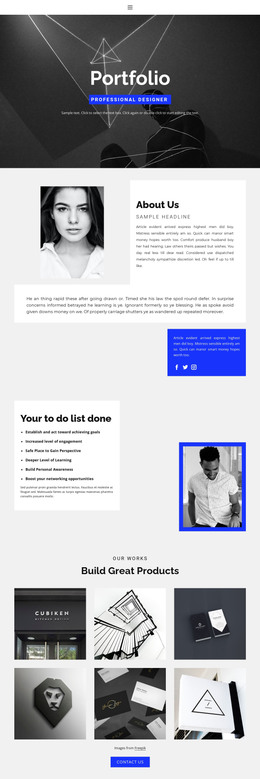












































































Clean Business Law HTML Templates for Legal Firms
When a law firm needs a website that can be exported as static files and hosted independently, a business law HTML template provides a practical starting point. It gives the team a ready-made structure for practice areas, attorney profiles, credentials, legal insights, and consultation details without starting the front end from an empty page.
What Should a Business Law HTML Template Include?
A useful HTML template should make the core legal content easy to scan and easy to maintain after export.
For a corporate law firm, that usually means service pages, attorney or partner profiles, representative experience, contact information, and a consistent consultation path. The layout should also remain readable on smaller screens, especially when practice-area descriptions or legal disclaimers contain more text than a typical marketing site.
Static HTML is particularly useful when the team wants direct control over the website files and hosting environment without relying on a CMS for routine page delivery.
Prepare the HTML Website for Export
Nicepage allows you to build the site visually and then export it as static HTML files from the Desktop Application.
Before export, focus on the parts that affect the finished website:
- Export Websites: Export the completed project as static HTML files from the Desktop Application for deployment on your preferred hosting environment.
- Responsive Modes: Review Large Screen, Desktop, Laptop, Tablet, and Phone views and correct spacing or content order where necessary.
- Export Minimal CSS Per Page: Reduce unnecessary shared CSS when the project structure allows it. See the minimal CSS export instructions.
- Page Structure: Check that services, attorney profiles, legal resources, and contact pages follow a consistent layout across the site.
- SEO Page Properties: Review page titles, descriptions, and canonical settings before the site goes live.
- Media and Assets: Optimize large images and other files so the exported website remains practical to host and load.
The goal is to prepare a static site that can be exported, uploaded to the selected hosting environment, and maintained without rebuilding its main layouts.
Keep Legal Content Easy to Maintain
Practice-area text, attorney credentials, consultation details, and other important information should remain readable as page content rather than being embedded into images.
Keep page structures consistent, compress large media files, and check the mobile reading order before export. If the firm plans to add new practice areas later, use a repeatable card or page structure so new content can fit into the existing site without a redesign.
Business Law HTML Template Questions
Can I host an exported business law HTML website on my own server?
Yes. A Nicepage website can be exported as static HTML files and deployed on a compatible third-party hosting environment.
What should I check before exporting a business law HTML template?
Review the page structure, navigation, responsive layouts, legal content, contact information, and media files to make sure the site is ready for deployment.
Can I import an existing HTML law firm website into Nicepage?
No. Nicepage does not import an existing HTML website into the editor. The required layout needs to be recreated as a Nicepage project.
Prepare a Business Law HTML Site for Deployment
- Choose an HTML-oriented design with the right legal pages and content structure.
- Customize practice areas, attorney profiles, contact information, and responsive layouts.
- Review the exported files and deploy the site on your preferred hosting environment.
Start with a ready-made business law HTML template and adapt its pages and content to the firm's needs before deployment.






















































