
1380 Grid HTML Templates































































































Grid HTML Templates for Galleries and Responsive Page Sections
Grid HTML Templates offer ready-made compositions for building an HTML page section, including galleries, cards, image-and-text layouts, and featured content. The choice comes down to what that page section needs to hold: mostly images, short repeated entries, or longer descriptions. You can adapt the selected layout in Nicepage without arranging every cell from scratch.
Compare Ready-Made Grid HTML Layouts
A Grid HTML template can organize very different kinds of content:
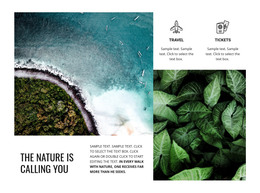
- Gallery layouts: Make room for photographs or project previews with brief captions.
- Card layouts: Repeat a consistent structure for several services, products, or resources.
- Image-and-text layouts: Allow longer explanations alongside visuals rather than beneath tiny thumbnails.
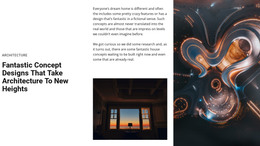
- Featured-content layouts: Give one story or product more space while keeping supporting items nearby.
Compare the amount of content each one accommodates. Six photos with short captions can fit a gallery, while six resources with longer titles and links call for roomier cards. Even a restaurant menu may need text-led cells for names and prices. Choose the arrangement that fits the material before judging its decorative style.
Match the Grid Composition to Its Content
Think about where the Grid sits in your HTML page. A compact card layout may fit below a short introduction; a full-width gallery needs more space for images. Check whether the chosen cells can hold the headings, descriptions, and links your page actually needs.
The content pattern is the deciding factor. A balanced collection is suitable for similar items; a featured cell makes sense when one item deserves more attention. Review the layout at a narrow width to catch cramped text before settling on it.
Customize the Chosen Grid HTML Template
The Nicepage Grid Element lets you edit rows, columns, gaps, and cell dimensions. Replace the sample material, then adjust the layout only where the new content needs it.
If you later export the HTML website, follow the supported options in Export HTML Website. The main decision here is which ready-made Grid layout fits your content, not how its files are packaged.
Grid HTML Templates FAQ
Can I edit a Grid HTML template without writing code?
Yes. You can customize the Grid arrangement and its content using the Nicepage visual editor.
Does a Grid HTML template include a complete HTML page?
Not necessarily. Some designs focus on one Grid section, while others show more of the page. Check what the selected template includes before treating it as a complete HTML page.
Can I change the content and proportions of a ready-made layout?
Yes. Replace its images and text, then adjust individual cells in Nicepage where you need more room or a different emphasis.
Can I use an HTML Grid layout within an existing page?
Yes. A prepared Grid can sit alongside other sections in an HTML website. Choose a composition that suits the content and surrounding page.
Choose the HTML Grid Layout That Fits
Choose a ready-made Grid layout that suits the content of your HTML page. Customize its images and text in Nicepage, then check how the section works with the surrounding page.






















































