Stone massage HTML Template


Two Massage Images Shape a Ready-Made Static Section
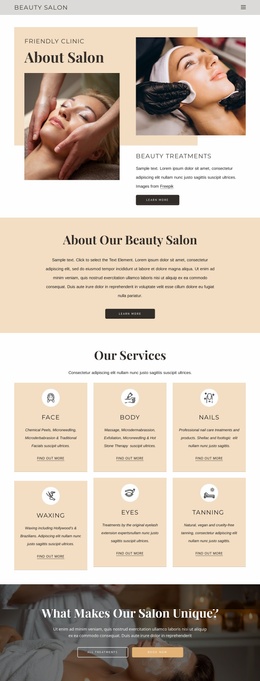
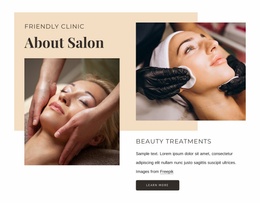
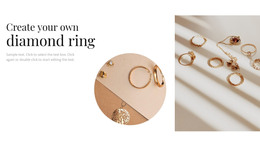
The heading “Stone Massage” and the accompanying descriptive paragraph establish a focused treatment-introduction area rather than a collection of unrelated content. The square massage photograph on the left gives the section an immediate visual entry point, while the text and circular photograph on the right create a second, more layered reading zone. Together, these regions provide enough content for one finished wellness or beauty section inside a static HTML page.
The circular image is not simply placed beside the copy. It overlaps a muted beige rectangular accent, adding depth and a clear visual anchor without introducing interaction. The separate square image balances that overlap from the opposite side, so the two photographs support the treatment subject while retaining different shapes and positions. White space around the elements prevents the descriptive text from competing with the imagery, and the bold serif heading gives the section a recognizable starting point.
As a ready-made HTML section, this arrangement can carry the stone massage introduction while surrounding static-page content supplies navigation, service details, booking information, or contact areas. The “Images from Freepik” attribution remains part of the section’s content context. The block therefore offers a prepared static arrangement for one treatment message, not a complete HTML page or website.
Customize with Nicepage
Open this ready-made template in the HTML Builder and customize it visually in the Nicepage editor. Replace demo content, edit page sections, and adapt the design to your project without rebuilding the template from scratch.
Edit Template Offline
2. Create a new page or select existing
3. Click Add new block, search for id 1292335 and click enter
Edit Template Online
Create Awesome Websites


Free Nicepage Builder
Keywords
Use This Block in a Static HTML Page
Start With a Ready-Made Section
A block provides one prepared content area that can be combined with other sections to build a static HTML page. Customize its text, images, spacing, colors, and other elements in the Nicepage editor while keeping the block focused on its own purpose, such as services, testimonials, pricing, contact information, or visual presentation.
Export the Containing HTML Project
When the page or website that contains the block is ready, use HTML Export to create the files required for a static HTML project. The export applies to the containing page/site rather than turning one individual block into a complete website by itself.
Reuse the Section Within the Project
The same block design can be adapted as one content section within a larger static site. Other Blocks can provide navigation, introductions, portfolios, forms, footers, and additional page content while this section keeps its own verified content and layout role.
This workflow makes the block useful as a ready-made section inside a static HTML implementation, with export and deployment handled at the page or website level.