300 Gallery HTML Templates





















































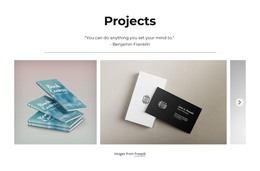

















































Gallery HTML Templates With Ready-Made Image Sections
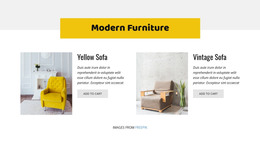
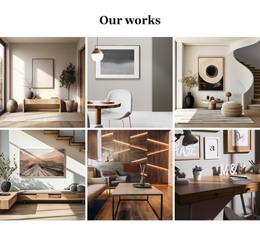
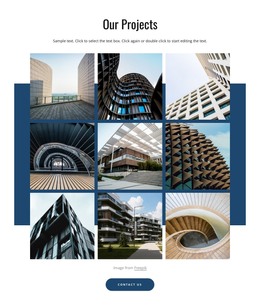
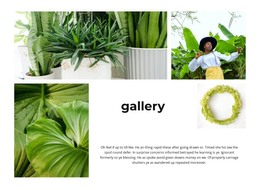
Gallery HTML Templates offer ready-made Gallery designs for HTML-oriented website projects. Instead of starting with an empty image area, compare neat grids, asymmetrical layouts, featured photos, and captioned collections. Your choice depends on how you want images to appear to visitors.
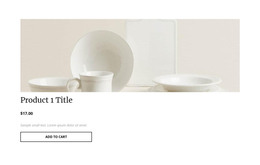
A product page may need several clear views of an item; a creative portfolio might emphasize a few large photographs. These image arrangements suit a wide variety of HTML website projects.
Select a Ready-Made Gallery for an HTML Website
HTML-oriented website projects can use the same familiar Gallery compositions that make photographic content easy to browse: a regular grid, a featured image with supporting views, or a captioned collection. Choose the format that best presents the intended image collection.
- Even image groups suit product views or comparable projects.
- Asymmetric layouts make a lead photograph stand out.
- Compact thumbnail sets offer a quick overview of a larger collection.
Nicepage's Image Gallery Element supports the collection in a ready-made block. An HTML portfolio and a more general website showcase may legitimately use similar gallery designs.
Choose a ready-made Gallery according to the images it needs to present, whether the section belongs to a portfolio, product page, or illustrated project. Nicepage's Export HTML Website feature supports applicable projects, allowing the selected Gallery section to be part of an HTML website.
Gallery HTML Templates FAQ
Can I replace the sample images in a Gallery HTML template?
Yes. Nicepage lets you replace individual Gallery images, add photos, and make multiple replacements. You can also adjust supported gallery properties after updating the collection.
Do HTML Gallery sections support captions and enlarged previews?
Yes. The Nicepage Image Gallery Element supports captions in compatible layouts and a lightbox option for enlarged image previews. The available presentation settings depend on the selected gallery arrangement.
Can I export a Nicepage website containing a Gallery section as HTML?
Yes. Nicepage supports exporting website projects as static HTML, including the required HTML, CSS, JavaScript, and image files. The Gallery is included as part of the exported website project, not as a separate complete website.
How is a Gallery HTML template different from a Tiles section?
A Gallery organizes related visual media for browsing and comparison. Tiles usually present separate visual panels representing different content choices. Choose Gallery when visitors need to examine a connected collection of photographs.
Choose an HTML Gallery Section and Adapt It in Nicepage
Start with a Gallery design that fits the number and type of images you want to present. In the Nicepage editor, replace sample media, adjust the arrangement, and refine captions or previews where needed.
Incorporate the Gallery into your HTML website project and review it alongside the surrounding content. A suitable ready-made section provides a clear starting structure for visual browsing while leaving room for the images and their presentation to be adapted.