
Social HTML Templates















































Professional Social HTML Templates for Ready-Made Community Layouts
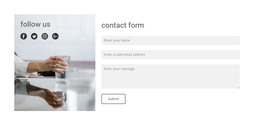
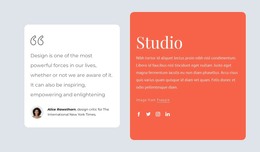
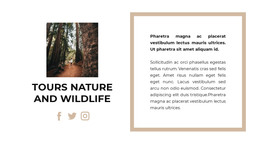
Social HTML Templates provide a ready-made package of front-end HTML layouts and reusable interface components for social and community projects. The package can include profile, feed, group, discussion, messaging, media, navigation, and account layouts that developers can adapt as a starting UI.
Unlike the broader Website Templates angle, the focus here is not planning the entire member journey. Unlike HTML5 Templates, it is not primarily about semantic HTML5 foundations. The product value is the availability of ready-made HTML pages, layout patterns, and components.
Check the Ready-Made HTML Layout Package
Evaluate the template by the actual front-end layouts and components it provides. Depending on the package, useful pieces can include:
- feed and timeline layouts with reusable post or activity cards;
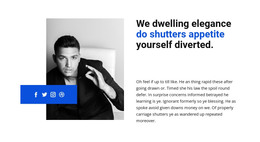
- profile pages for members, creators, or organizations;
- group and discussion layouts for community participation;
- chat or message screens for conversation-oriented products;
- media grids and detail layouts for shared visual content;
- navigation, form, and account components that can be reused across pages.
The emphasis is practical: how much of the required HTML interface is already available to adapt, combine, and connect to the project's application layer.
Adapt Pages and Components Instead of Designing from Scratch
A useful HTML template package reduces the amount of front-end layout work required before integration. Review whether its pages and components can be reused consistently and whether example content can be replaced without rebuilding the structure.
Useful checks include:
- whether repeated cards and controls use consistent patterns;
- whether profile, feed, group, and message layouts can share navigation;
- whether forms and account components fit the required states;
- whether media and content modules can be reused across pages;
- whether the supplied layouts respond cleanly at different widths;
- whether the HTML package can be connected to the project's own data and application logic.
This keeps the page centered on ready-made HTML deliverables, rather than broad website planning or an abstract discussion of social features.
Keep External Links Secondary to Community Navigation
A community HTML template may include links to external social profiles, but its own feed, profile, group, message, and account navigation should remain unmistakable. External channels work best as supporting destinations on relevant profiles, public pages, or footer areas.
Use Social Icons as Supporting Components
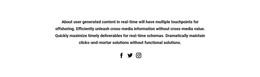
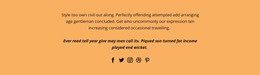
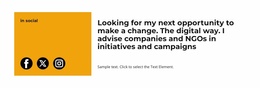
Where the interface needs external-network links, Nicepage's Social Icons Element can be adapted by platform, link, custom icon, size, and spacing. These controls are useful for creator profiles, public community pages, or footer areas.
They complement the ready-made community UI rather than replacing it. The main template decision remains whether the broader set of HTML layouts fits the site's feed, profile, group, media, conversation, and account needs.
Social HTML Template Questions
What Is a Social HTML Template in This Category?
It is a ready-made package of HTML pages, layout patterns, and reusable front-end components for social or community interfaces. Dynamic data, authentication, live feeds, and messaging still require the appropriate application layer.
When Is HTML Code More Relevant Than a Ready-Made Template?
Code-focused work matters more when you're implementing or extending individual links and components—for example, semantic anchors, accessible labels, reusable classes, or external-link behavior—rather than choosing a broader ready-made interface.
Can I replace the social platforms in a ready-made Nicepage section?
Yes. The Social Icons Element lets you add an icon and specify its social link. You can also replace an existing icon with an uploaded custom social icon when the required platform is not available.
Do HTML Social Templates Include Backend Community Features?
They primarily provide front-end structure and presentation. Authentication, stored profiles, live feeds, messaging, and other dynamic features require the appropriate application or backend integration.
Can Social Icons Still Be Used in a Community HTML Template?
Yes. External social links can support the broader interface, especially on profiles, creator pages, or footer areas, without replacing the site's internal community navigation.
Adapt the Ready-Made HTML Layout Package
Choose the HTML package by the layouts and components the project can reuse. Then:
- identify the supplied profile, feed, group, conversation, media, and account pages that are relevant;
- keep reusable navigation, cards, forms, and controls consistent;
- replace example content without rebuilding the underlying layout patterns;
- review responsive behavior across the supplied pages;
- connect the front-end package to the required application and data layer;
- add external Social Icons only where they support the interface.
The result is a ready-made HTML layout package for social/community UI. It can overlap with Website Templates in page topics and with HTML5 Templates in front-end technology. Still, its core value is the set of reusable HTML pages and components already provided.





















































