
Product Details HTML Templates
-
-

-
-
-
-
-
-
-
-
-
Free Website Builder SoftwareDownload
-
-
-
-
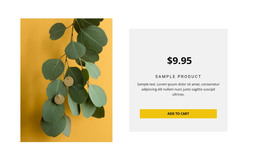
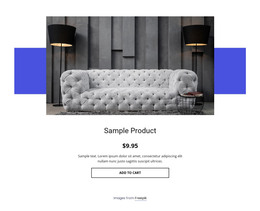
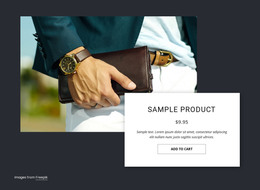
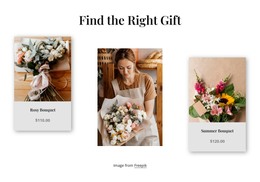
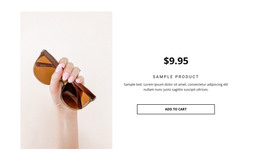
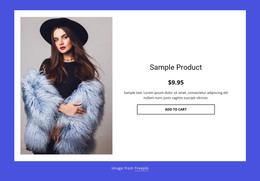
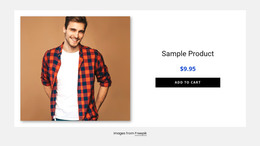

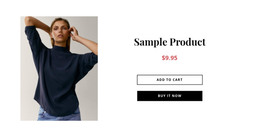
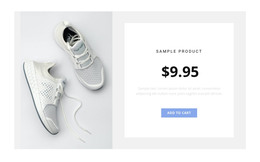
Professional Product Details HTML Templates for Ready-Made Product Sections
Product Details HTML Templates give you a finished visual Product Details implementation for an HTML project. Start with a complete single-product design in Nicepage, customize its content and visual treatment, then use that ready-made section within your broader HTML website workflow.
Unlike a markup-first starting point, the core structure is already assembled and visible before you begin customizing. The workflow is therefore template-first: select the finished design, adapt it in the visual editor, and use the resulting implementation in the HTML project.
Start With a Finished Product Details HTML Template
The central value of this category is that the Product Details section already exists as a complete visual implementation. Instead of building this structure from code, you can review the finished design in Nicepage and choose the version closest to the HTML project you are building.
A practical starting template provides:
- a complete single-product section ready for visual customization;
- established areas for product imagery and information;
- existing placement for options and the main product action;
- a coherent visual structure that can match the surrounding HTML website;
- a ready-made implementation that does not need to be assembled from separate pieces.
This keeps the HTML Templates workflow centered on selecting and adapting a finished design rather than building the Product Details structure from markup.
Customize the Finished Design in Nicepage
Once you select the visual template, customize the existing section in Nicepage instead of rebuilding its underlying structure. Replace the default imagery and content, adjust the visual treatment, and align the section with the surrounding HTML website.
The ready-made arrangement should continue to do most of the structural work. This keeps customization focused on adapting an existing implementation instead of turning the task into markup-level construction.
The finished template remains the starting point throughout the workflow: select it visually, customize it in Nicepage, and prepare it for use in the HTML project.
Use the Ready-Made Section in an HTML Project
After you customize it in Nicepage, the Product Details section becomes part of the HTML website workflow. Related HTML Templates can provide ready-made designs for surrounding pages. At the same time, Nicepage supports E-Commerce in HTML, including Product Details functionality and HTML export for e-commerce websites.
This creates a clear sequence: choose the finished Product Details template → customize it visually → use the resulting section in the HTML project. Navigation, discovery, and other website pages remain part of the broader project around that implementation.
The Product Details purpose does not change. What defines this category is the ready-made visual implementation and its place in an HTML website workflow, not direct work with the markup.
HTML Templates vs HTML Code
The two categories are related, but their starting points differ:
- HTML Templates focus on selecting and adapting a ready-made visual Product Details layout.
- HTML Code focuses on code examples, editable markup, and a more code-oriented starting point.
Both can lead to a customized product section. Choose HTML Templates when you want to begin with a finished visual design and adapt it in Nicepage; choose HTML Code when working directly with the example markup is central to the task.
Product Details HTML Templates FAQ
What Defines a Product Details HTML Template?
A finished visual single-product implementation you can select in Nicepage and use in an HTML website workflow without assembling the Product Details section from separate pieces.
Are Product Details HTML Templates the Same as Product Details HTML Code?
No. HTML Templates focus on choosing and adapting a ready-made Product Details design. HTML Code focuses on a code example, editable markup, and code-oriented customization.
Can Nicepage Be Used for an E-Commerce HTML Project?
Yes. Nicepage supports e-commerce projects for HTML output, including product-related functionality for HTML websites.
How Does a Product Details HTML Template Fit an HTML Project?
Select the finished Product Details design in Nicepage, customize its content and visual treatment, and then use the resulting section as part of the broader HTML website workflow.
When Is a Ready-Made HTML Template the Better Starting Point?
Use a ready-made HTML template when you want to start from a finished visual Product Details implementation, customize it in Nicepage, and use it in an HTML project rather than beginning with editable markup.
Adapt a Ready-Made Product Details HTML Section
Start with a finished Product Details HTML template in Nicepage, customize its content and visual treatment, and use the resulting section within the broader HTML project workflow. The process stays template-first from selection through implementation, rather than shifting into markup-first construction.





















































