
210 Industrial CSS Templates































































































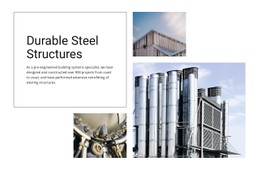


Best Industrial CSS Templates for Technical Websites
Industrial CSS templates are useful when the main challenge is not the page structure itself, but how repeated technical content looks and behaves. Manufacturers, warehouse operators, material suppliers, and plant service teams can use shared styling rules to keep machinery cards, specification tables, safety labels, status cues, and service sections visually consistent without creating a new one-off treatment for every block.
Why Choose Minimal Industrial CSS Templates?
A strong CSS layer turns repeated industrial UI patterns into reusable rules. Instead of styling each equipment card separately, define classes for product grids, specification rows, alert states, service badges, and callout blocks. Selectors can then target the exact elements that need changes, while stylesheet scope keeps local adjustments from affecting unrelated areas.
That approach is especially valuable when industrial content contains many repeated states: available or discontinued machinery, safety notices, certification markers, technical data rows, or service coverage indicators. A metal industry design direction can help frame material grades and fabrication content, while CSS determines how those data-heavy sections are differentiated through spacing, borders, typography, and visual emphasis.
Customizable CSS Rules for Industrial Layouts
Reusable classes keep machinery cards, service panels, and specification groups that are repeated in common across projects aligned. Selectors allow targeted changes to headings, labels, table cells, buttons, or status elements without rewriting the whole design. Responsive rules can alter columns, spacing, font sizes, and visibility as a technical layout moves from a wide desktop to a phone. Custom CSS Code provides another layer of control when standard settings are not enough; Nicepage documents class assignment and custom rules through Custom CSS settings.
For example, a machinery catalog can use one class for the equipment-card shell, another for specification values, and a modifier for items that require a warning or safety note. A warehouse-oriented layout may use the same idea for storage capacity cards, availability labels, dock information, or logistics status cues.
Keep stylesheet scope deliberate. A rule intended for one equipment table should not unexpectedly restyle every table on the site. Likewise, breakpoint rules should preserve hierarchy rather than shrink the desktop layout. On small screens, dense specification rows may need more vertical spacing, machinery grids may collapse to fewer columns, and safety cues should remain visible without dominating the page.
Lightweight CSS Practices for Industrial Pages
Do: reuse class names and shared patterns for equivalent technical components. Don't: create isolated styling for every machine, facility, or service block when the same selector can support the full group. For projects that need leaner page-level output, the Export Minimal CSS Per Page option can generate a stylesheet containing only the styles necessary for the individual page.
This is particularly useful for content-heavy industrial businesses such as fuel suppliers, where price tables, delivery areas, safety notes, and service statuses need distinct visual priority. A fuel website structure can provide an adjacent content reference, while the CSS layer controls how those elements are styled and repeated.
Practical Industrial CSS Questions
Can I assign custom CSS classes to industrial elements?
Yes. Nicepage supports custom CSS classes, so repeated equipment cards, specification rows, warning labels, or service blocks can share targeted styling rules.
How should I style machinery specification tables for smaller screens?
Use responsive CSS rules to adjust spacing, typography, column behavior, and other presentation details at smaller breakpoints while keeping technical values readable.
Can selectors be used for safety or status cues?
Yes. Targeted selectors can apply distinct styling to labels, warnings, availability states, certification cues, or other recurring industrial indicators without changing unrelated elements.
How can I avoid one CSS rule affecting unrelated industrial sections?
Keep selectors specific to the intended component,t and use reusable classes with a clear scope. This reduces accidental styling changes elsewhere on the page.
How can I avoid carrying unnecessary styles on a large equipment page?
Enable Export Minimal CSS Per Page in Site Settings. Nicepage can generate a separate CSS file containing only the styles required to display that specific page.
Keep Industrial Styling Consistent With Reusable CSS
A technical page is easier to maintain when machinery grids, specification tables, safety states, and service blocks follow a predictable styling system. Build reusable classes, keep selectors purposeful, check responsive rules at each breakpoint, and add custom CSS only where the existing controls do not cover the required presentation. This keeps the CSS layer focused on styling rather than duplicating the role of a general HTML template.





















































