

Firefighter HTML Templates
A fire station page must distinguish verified emergency contacts from routine administrative questions. Firefighter HTML templates keep station details, prevention guidance, and community program information organized into accessible sections for residents.
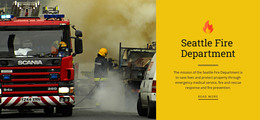
More HTML Templates from Industrial Category




Other Industrial HTML Templates
Ready-to-Use Firefighter HTML Templates for Crews and Volunteer Brigades
Choosing a firefighter HTML template depends on how much of the demo still works once you replace the sample photos and station addresses with real crew photos and addresses. A listing can be one page, a separate block, or a set of connected pages, so check what a design includes first.
Profiles, Stations, and Recruitment Sections
A volunteer brigade usually leans on a prominent call for new members, while a city department with several stations needs station cards that repeat cleanly. Sections like these turn up in many firefighter designs:
- Crew profile cards with a photo, rank, and short biography
- Station cards with an address and office hours
- A recruitment area with eligibility notes and an application button
- Outreach blocks for school visits or smoke alarm checks
Demo crews appear as neat portraits, while many departments only have group shots of a whole shift beside the engine, and a grid that crops wide images badly means extra rework.
Print the local emergency number as readable text near the top and note that the site form is for routine questions only. Following this guide to phone, email, and file links, set up Buttons and Hyperlinks that connect visitors to a phone number, an email address, or a document. Keep the printed number beside any phone icon.
From Single Blocks to Exported Files
A department with an existing site may only need a crew or recruitment block, while a new volunteer team benefits from pages that share one menu and footer. Editing happens visually in Nicepage, so you can swap photos or duplicate a profile card for a recruit without touching the HTML source.
Export gives you HTML files with the assets they need, ready to upload to your server or hand off to a developer. HTML files suit details that stay the same, like station addresses. A crew list that changes with each recruit means editing files or exporting again, so decide early who owns those updates.
Long recruitment answers about age limits and physical tests fit into Nicepage's Accordion Element, but the emergency number should stay outside any collapsed panel.
Testing a Demo With Real Crew Content
Open the demo on a phone and load it with your most awkward material. Use your longest station name, add more crew cards than the demo shows, and drop a wide group photo into a portrait slot. Then check that the menu opens cleanly and the phone number stays readable without zooming.
The design still reflects how your crew is organized once the samples are gone, from the people on each shift to how new members apply.