
2360 Text On Image CSS Templates






































































































Flexible Text On Image CSS Templates for Overlay Styling
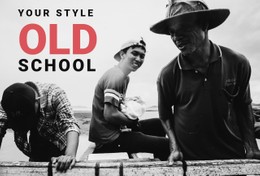
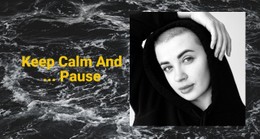
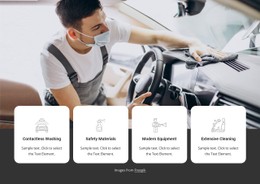
Text On Image CSS Templates focus on how the image-and-message composition is styled. The section still depends on a dominant visual and readable copy. Still, the CSS-oriented intent is more specific: controlling overlay positioning, text footprint, contrast treatment, spacing, and responsive behavior as the composition changes across screen sizes.
The focus is the styling layer that keeps the overlay readable and balanced.
Style the Overlay Position and Text Footprint
Overlay placement should respond to the image rather than rely on one fixed position. A portrait may leave usable negative space beside the subject, while a landscape may offer a quieter area above or below the focal point.
Useful styling decisions include:
- overlay positioning relative to the image area;
- text width and spacing around the message;
- font size and line height that fit the available space;
- alignment that supports the composition.
These CSS choices control how content sits inside the visual field.
Control Contrast and Background Treatment
Readability often depends on the area directly behind the words. A background-focused design direction can inspire visual treatments, but CSS-oriented refinement should solve a concrete problem.
That may involve text color, a subtle overlay behind copy, spacing away from detailed image areas, or typography adjustments. The goal is targeted styling, not effects for their own sake.
Adapt Text Placement at Responsive Breakpoints
A position that works on a wide desktop image may fail when the section becomes narrower. Responsive styling should preserve the same visual priority even when the layout changes.
At smaller breakpoints, you may need to move the overlay, reduce text width, adjust padding, change alignment, or refine typography. The section is adapted through responsive rules so the image and copy continue to work together.
Use Nicepage Controls Before Adding Targeted CSS
Nicepage's Image Element supports the dominant visual side of the section, while the editor provides controls for positioning and styling the accompanying content.
When a specific styling requirement goes beyond the available visual controls, Custom CSS can be used for targeted rules. The useful question is not how much CSS can be added, but which overlay behavior needs more precise control.
Examples include breakpoint-specific position adjustments, background treatment behind text, extra spacing around the overlay, or local typography tuning.
Keep CSS Focused on the Styling Layer
Text On Image CSS Templates are not primarily about HTML structure or project export. They are about how the section looks and adapts through styling.
That distinction helps keep the category focused:
- CSS Templates emphasize presentation, spacing, typography, contrast, and responsive positioning.
- HTML Templates emphasize section structure and use inside an HTML-oriented project.
The two can support the same visual pattern, but they solve different parts of the implementation.
Text On Image vs Wide Sections
A Wide section is defined mainly by its horizontal scale and the way it occupies page space. It can contain text and imagery without requiring them to behave as an overlay composition.
Text On Image is different because the words and the dominant image function together. CSS styling then refines how that relationship is presented across layouts and breakpoints.
FAQ About Text On Image CSS Templates
Does every Text On Image section require Custom CSS?
No. Standard Nicepage controls can handle many compositions. Use Custom CSS when you need more control over a specific styling behavior.
What should I adjust if text becomes hard to read over an image?
Review text color, background treatment, copy width, spacing, typography, and the image area behind the message.
Why are breakpoints important for Text On Image?
The available image area changes on smaller screens. Responsive rules help reposition and resize the text so it remains readable without covering the focal subject.
Is CSS mainly responsible for the HTML structure of the section?
No. CSS primarily controls presentation and responsive styling. The structure and output context belong more naturally to HTML.
What content belongs in this block?
The core content is a dominant image or background, a headline, and supporting copy. Optional metadata or a CTA can be included when it supports the message.
Refine the Overlay as a Styling System
Start with a composition whose image and message already belong together. Then refine overlay position, text width, spacing, typography, contrast, and breakpoint behavior in the Nicepage editor. Use targeted Custom CSS only when the section needs more precise styling than the standard controls provide.






















































