
Product Details CSS Templates
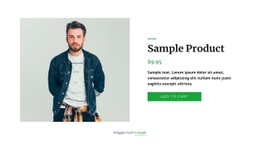
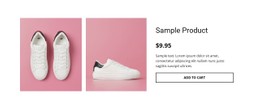
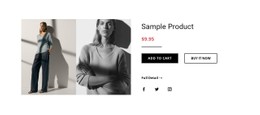
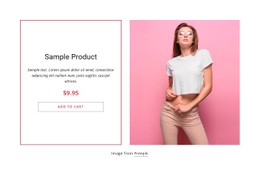
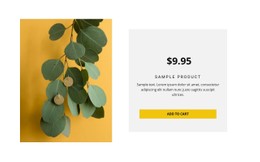
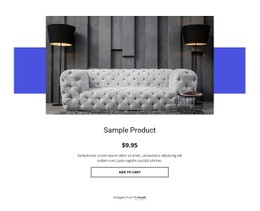
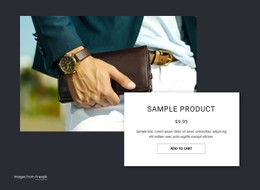
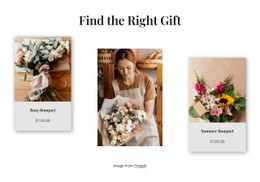
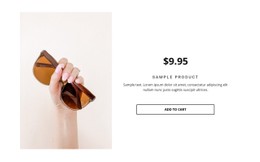
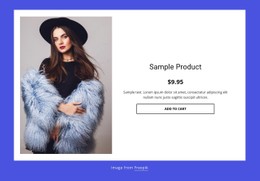

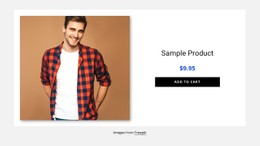
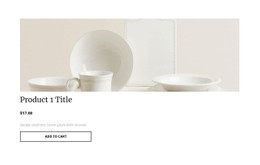

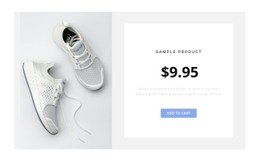
Customizable Product Details CSS Templates for Flexible Product Styling
Product Details CSS Templates provide ready-made single-product designs whose presentation can be adapted through typography, spacing, columns, product-media treatment, price hierarchy, option controls, and CTA styling. The first task is choosing a layout that already fits the product; deeper CSS customization comes after that choice.
This keeps the category centered on CSS templates rather than turning it into a Custom CSS tutorial. A strong starting design should already establish the visual balance you need and give you sensible areas to refine. Related CSS Templates can provide additional styling directions when the wider page needs the same visual language.
Find the Right Visual Structure
Different Product Details designs can create very different reading patterns even when they contain similar product content. Column proportions affect how much emphasis the product media receives, typography can strengthen the price hierarchy, and spacing determines how clearly variant selectors, specifications, and the CTA area separate from supporting information.
The visual structure becomes easier to judge through a few concrete details:
- responsive column structure for media and product information;
- typography hierarchy for the product name, price, labels, and supporting text;
- product-media treatment and available gallery space;
- spacing and alignment between specifications, options, and supporting content;
- variant-selector and option styling for clear product choices;
- CTA and action-area styling that keeps the primary product action visible.
Choose the template whose existing visual system is closest to the result you need. That usually requires less corrective styling later.
Refine Typography, Spacing, and Product Controls
Once you select a layout, use the available visual controls to shape the section around the product and the surrounding website design.
Typography can make the product name and price immediately recognizable while keeping secondary details quieter. Spacing can separate variant selectors from specifications, product-media treatment can strengthen visual inspection, and control styling can keep options and the CTA area clear within the same decision flow.
Consistency matters more than decorative complexity. Reuse the project's broader visual language where appropriate, then introduce stronger product-specific styling only when it improves the section.
Use Responsive Styling as a Selection Criterion
A two-column Product Details layout can work well on a wide screen but needs a sensible arrangement when the viewport narrows. Before choosing a CSS template, consider how its visual relationships can adapt across screen sizes.
Check whether:
- media and information can stack without losing context;
- spacing remains comfortable on smaller screens;
- long text does not create awkward visual gaps;
- controls remain clear when horizontal space is reduced.
Responsive presentation is part of the template itself, not merely a correction to make after the desktop design is finished.
Add Custom CSS Only Where It Helps
Nicepage Custom CSS provides additional control when a specific styling requirement goes beyond the standard visual settings. It can be useful for a targeted class or rule, but Custom CSS should remain a refinement tool, not the premise of the entire Product Details category.
Start with the template, customize the supported design properties, and add focused rules only for defined exceptions. This approach keeps the CSS layer easier to understand and avoids unnecessary rebuilding.
The distinction from Product Details HTML Code is straightforward: CSS customization focuses on presentation, while HTML Code provides a code-oriented starting point or markup-level customization.
Product Details CSS Templates FAQ
What Should I Compare in a Product Details CSS Template?
Compare the responsive layout, column proportions, product-media treatment, price hierarchy, spacing around specifications, variant or option styling, and the visual treatment of the main product action. Choose a template whose existing visual structure is close to the design you need.
When Should I Use Custom CSS in a Product Details Section?
Use Custom CSS when the standard visual controls do not cover a specific styling requirement or when a targeted class or rule is needed for a particular element.
Can Nicepage Apply Custom CSS to Specific Elements?
Yes. Nicepage Custom CSS Code supports classes for individual elements, with rules added through the available CSS controls and the class assigned to the relevant element.
Customize a Product Details CSS Template
Start with a Product Details template whose responsive structure, product-media treatment, price hierarchy, option controls, specification spacing, and CTA area already suit the product. Refine those properties in Nicepage, then add targeted Custom CSS only where the standard controls do not provide the treatment you need. This keeps template selection first and code-level styling second.





















































