
550 Group CSS Templates






































































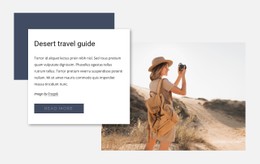
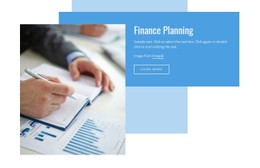


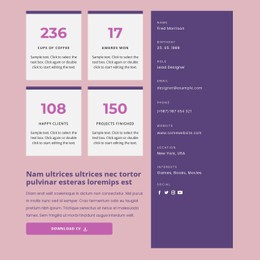
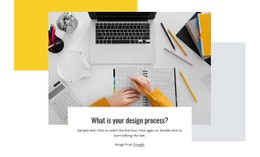





Responsive Group CSS Templates for Structured Front-End Layouts
Use group CSS templates when the front-end styling matters as much as the page structure. Team grids, organization cards, directories, schedules, and profile modules can keep predictable responsive behavior while developers retain options for targeted CSS customization and handoff.
Build Group Components With Predictable Responsive Styling
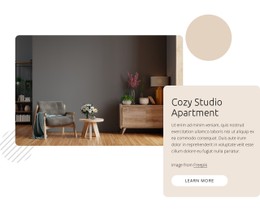
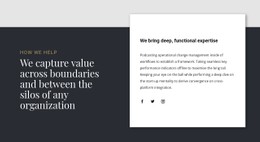
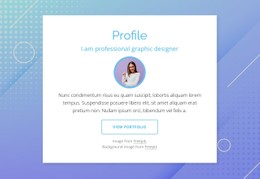
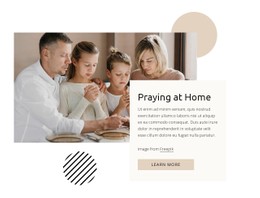
Group websites often repeat the same types of components. A staff or member grid may contain dozens of profiles. A network can need branch or chapter cards. A corporate group may list divisions or companies. Event-based organizations may use schedules or recurring activity blocks.
The CSS layer should help those components behave consistently as the viewport changes. Rather than relying on vague performance claims, focus on spacing rules, column behavior, stacking order, reusable styling, and the points where a developer may need to extend the generated design.
For example, a four-column team section can become two columns on a tablet and a single readable sequence on a phone. A schedule can reorder content for narrow screens. A set of branch cards can preserve matching spacing even when titles and descriptions vary in length.
CSS Tools for Group Layout Customization
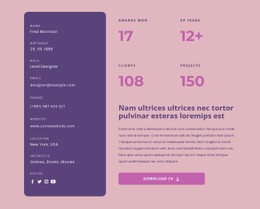
Grid Element: Arrange profile cards, business units, committees, locations, program summaries, or schedules inside structured cells. On smaller screens, cells can move one under another.
Grid in Responsive Modes: Refine cell order for layouts where the mobile reading sequence should differ from desktop.
Grid Columns: Use alignment guides to keep headings, cards, images, and actions on a consistent visual rhythm.
Custom CSS Code: Add targeted rules at the element, page, or site level when the visual controls do not cover a specific styling requirement. Nicepage documents how to add custom CSS at these levels.
Export Minimal CSS Per Page: Prepare a page-specific style file with only the rules required by that page when this export option suits the project.
Contact Form Builder: Add registration, inquiry, partnership, subscription, or general contact forms and review their presentation across responsive modes.
Plan CSS Handoff Around Real Components
When a design will be handed to a developer, identify which group components are expected to change most often. A directory may need new cards every month, while a corporate group could add business units or locations. Keep custom rules focused on those reusable components so later edits remain understandable.
Avoid adding manual CSS merely to imitate settings already available in the visual editor. Use custom rules only when they provide a concrete benefit: a special state, unique spacing behavior, a specific responsive adjustment, or a project requirement outside the standard controls.
Before export, review the layout at each breakpoint and test long names, uneven descriptions, large image sets, and dense card collections. Those cases reveal more about the resilience of the CSS than generic claims about “high performance.”
Group CSS Template Questions
Can I Add Custom CSS to a Specific Group Component?
Yes. Nicepage supports Custom CSS Code at the element, page, or whole-site level. This is useful when a profile grid, directory, schedule, or card collection needs styling that is not covered by the standard visual controls.
How Should a Large Team Grid Behave on Mobile?
Use the Grid Element and Responsive Modes to control how cells stack and, where needed, change their order. The goal is to preserve a readable sequence rather than shrink the desktop arrangement.
Can I Export Only the CSS Needed for One Page?
Nicepage includes the Minimal CSS Per Page export option. When it fits the project, enable Minimal CSS Per Page before export to prepare a separate page-specific style file.
What Group Components Benefit Most From Reusable CSS Rules?
Repeated components such as member cards, team profiles, chapter or branch tiles, schedules, program lists, and location grids benefit most because consistent rules reduce visual drift as you add more items.
Prepare a Group Layout for CSS Customization
Choose a design direction, build the repeated components, and review how they respond on Desktop, Laptop, Tablet, and Phone layouts. Add targeted CSS only where the project needs it, then publish online or export the supported HTML/CSS files. This keeps the styling workflow practical for both visual editing and later front-end handoff.






















































