
Woodworking HTML Templates
A workshop site can look polished yet become awkward to maintain when project sections lack clear markup. These HTML templates give portfolios, service details, material notes, and contact areas a reusable, responsive structure for further development.
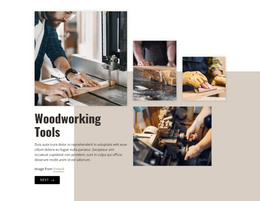
More HTML Templates from Industrial Category










































Other Industrial HTML Templates
Clean Woodworking HTML Templates for Structured Project Sites
A woodworking HTML template hands you a ready-made frontend for project galleries, service pages, and inquiry sections, so the page structure does not have to be written from scratch. For a cabinetmaker or a furniture studio, that means starting with organized HTML markup and reusable content sections, then editing the parts that describe your own workshop rather than assembling the page structure element by element.
Organize Woodworking Content with Logical HTML Structure
The markup beneath the photographs determines how easily a visitor can follow the page. Headings, descriptive text, and project categories need to be in a clear order within the document structure before presentation rules are applied. That order helps a custom furniture page explain the commission type before a visitor reaches the gallery, and it lets a cabinetry page pair a finished installation with its dimensions and materials.
Structure matters most when a single project carries several layers of information. A kitchen case study may open with an introduction, include an image sequence, and close with notes on wood species and hardware, along with a form. Reusable HTML sections let you repeat that pattern for wardrobes, built-ins, or restoration work without rebuilding the page logic each time.
Consistent markup pays off once the portfolio starts growing. Project pages can follow the same content order while the photographs and specifications change from one commission to another. Anyone editing the site later gets a predictable foundation, and similar case studies stop drifting into different page structures.
Keep Image-Heavy Pages Clear in the HTML Structure
Woodworking sites lean on large photographs to show grain, joints, and finishes. The HTML should keep those images, captions, project descriptions, and inquiry sections in a logical reading order regardless of how the page is styled later. Clear grouping also makes it easier to duplicate a complete project section or move content without rebuilding its underlying markup.
Export the HTML Site and Host It Where You Want
Nicepage projects can be exported as static HTML websites, together with the CSS, JavaScript, and image files the pages need. The exported HTML can then be opened in a code editor when you need to revise the content structure, duplicate sections, or adjust the markup before uploading the site to a separate hosting provider.
Before committing to a template, open the code and look at what you are actually getting. Check whether project stories, service descriptions, and contact sections already sit in blocks you can duplicate for the next commission. Styling can be refined separately; a well-organized HTML foundation is what keeps the woodworking content easy to maintain and extend.