
Car CSS Templates
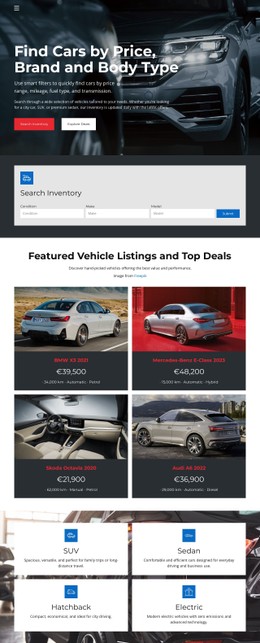
Vehicle cards, price labels, specification groups, and promotional states often need more precise treatment than general visual settings provide. CSS-focused automotive layouts support reusable classes, responsive grids, and targeted overrides without changing the underlying content structure.




































































Other Cars & Transportation CSS Templates
Lightweight Car CSS Templates
Two stock grids can hold identical content and read completely differently. The difference lives in the stylesheet: how much air surrounds a price, whether a sold badge shouts or whispers, what a specification row does when its value runs to three words. Car CSS templates package those decisions for the components an automotive site repeats hundreds of times.
Components A Stylesheet Truly Controls
The visible surface of an automotive layout comes down to a small set of repeated parts:
- Vehicle cards, where image proportion, borders, and equal heights across a row decide whether a grid looks tended or accidental.
- Price and finance labels, which need enough size and weight to survive a busy photograph behind them.
- Specification rows for mileage, gearbox, and year, aligned so two cars can be compared at a glance.
- Status badges such as available, reserved, or sold are legible without being read twice.
Once those rules are in shared classes, every new arrival inherits them rather than being styled by hand.
Problems Real Stock Creates
Three automotive headaches turn up in almost every dealership project:
- Model names differ wildly in length, so card titles need a line clamp and a predictable height.
- Photographs arrive in mixed proportions from phones, suppliers, and manufacturers, so a fixed ratio with controlled cropping keeps a row from looking careless.
- Prices compete with imagery for attention, so weight and spacing have to do the work that color alone cannot.
Dealers who shoot their own photographs meet the second problem first, usually in winter, when half the stock is captured under a gray sky, and the cards start to look uneven.
On a narrow screen, the same components change shape. As the specifications stack, the gallery becomes swipeable, and the contact button stays within thumb reach at the bottom of the card.
Adapting Purchased Rules Safely
Nicepage supports Custom CSS Code for assigned classes and rules, and the Custom CSS documentation shows how those rules are applied through settings and class names. That is the practical route for adjusting a purchased automotive stylesheet: a wider price badge, a calmer, more reserved state, and more room for a long title, all without disturbing the parts that already work.
Buying a stylesheet also means inheriting its habits, so it helps to see how it treats a card with no photograph at all. Judge a car CSS template by your worst content, not the demo's best. The longest name, the darkest photograph, and the car with fourteen specification lines will tell you what you need to know.