
Tractor Website Templates
Agricultural machinery websites need more than a product gallery. These tractor website templates provide structured pages for equipment ranges, technical details, parts, service, company information, and dealer contacts in one coordinated site.


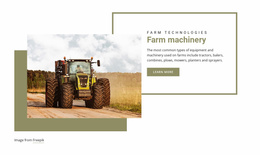


More Website Templates from Cars & Transportation Category






























Other Cars & Transportation Website Templates
Professional Tractor Website Templates
Tractor dealers, agricultural machinery suppliers, and equipment manufacturers face the same online challenge. Dozens of models with lengthy spec sheets have to share a single menu with a busy service department. Tractor website templates provide these businesses with a ready-made set of pages and catalog blocks designed for farm machinery.
Catalog Pages Built Around Tractor Classes
Most buyers choose a class before they look at models. It might be a compact tractor for a hobby farm, a utility machine for hay and livestock, or a row-crop tractor for large acreage. Only then do they compare horsepower and the implements each model can run. A single promotional page is too small for that path once a dealer carries several series. Before picking a design, check that it includes these page types or lets you build them in the same style:
- series pages with a card for each model;
- model pages with a spec table for engine power, PTO, and hydraulics;
- implement pages that match loaders and mowers to compatible tractors;
- parts and service pages where owners order filters and book maintenance.
Model names in one lineup often differ by a single digit, so product cards should show horsepower, drive type, and cab or open station right under the photo.
Compatibility Questions From Current Owners
Plenty of visitors already own a tractor and come for an implement or a part. Their first question is whether it fits the machine in their shed, so implementation pages need to include the required power, hitch category, and PTO speed.
Such checks often happen on a phone, with a baler waiting in the field. Wide spec tables are usually the first thing to break on a narrow screen. Nicepage provides dedicated Responsive Modes for everything from large monitors down to vertical phones, so a model grid or a spec block can be refined for each device.
Room for Next Season's Lineup
Say a dealer adds a new 75 HP utility series in spring. With a well-built template, that means duplicating a model page and typing new figures into the spec table. The Nicepage visual editor also lets you rework a product grid or a quote form without breaking the overall design. Each page type still gets its own call to action, such as a quote request for models or a booking button for service.
When comparing demos, check how product cards, spec tables, and comparison views cope with real tractor data. Catalog size and the number of dealer locations decide how many page types you need. No matter how large the lineup is today, the template should absorb another series or branch without redrawing the menu or page layouts.