
Wave Pattern CSS Templates
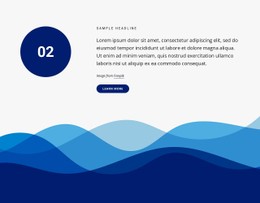
Designers who use large wave dividers need a style system that keeps decorative layers under control. CSS templates provide a prepared base for curved sections, repeated accents, color surfaces, and Grid or Flexbox arrangements.













































































Other Art & Design CSS Templates
Editable Wave Pattern CSS Templates
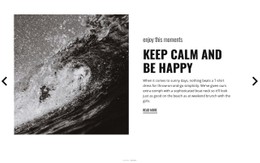
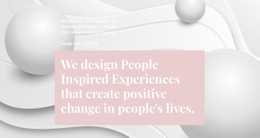
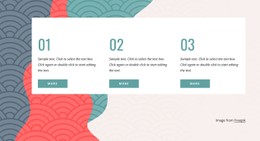
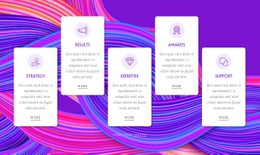
Wave pattern CSS templates give you a ready effect to drop into a section and adjust to your palette. It might be a flowing background behind the hero, a curved divider between blocks, or several translucent waves drifting across the screen. The pattern comes from repetition, as most of these effects stack similar curves in different colors or repeat one wave until it forms a continuous band.
Curved Results on Screen
Typical results fall into a few familiar types:
- layered hero waves, where each layer has its own color, opacity, and speed;
- a curved divider fixed to the bottom edge of a section;
- a repeating wave background running across the full page width;
- a small animated accent that moves quietly behind a heading or a card.
Static waves suit dividers and backgrounds that should stay calm while people read, whereas animated ones make a hero feel alive.
How SVG Paths Meet Keyframes
Many wave templates draw the shape with an SVG path and let CSS handle the rest, from fill color to movement. Animated versions usually rely on keyframes that shift each layer sideways at a different pace, so the waves seem to roll past one another. Others skip SVG and build the curves from gradient layers, keeping the whole effect CSS-only.
A divider usually sits at an absolute position at the section edge, and the container's hidden overflow prevents layers from spilling into the next block. For long backgrounds, a horizontal repeat lets one short wave tile into a seamless strip. Grid or Flexbox still arranges the text on top, though that part rarely needs attention.
Adjustable Parameters and Reduced Motion
Wave height, or amplitude, defines how dramatic the curve looks, and the layer count controls how much depth the background gets. In animated versions, speed and direction decide whether the motion feels like a slow tide or a restless shimmer.
A wave that looks graceful on a laptop can turn into a tall block that pushes content down on a phone, so good templates reduce its height at smaller breakpoints. Careful ones also respect the "prefers-reduced-motion" setting and pause the animation for visitors who prefer less movement.
Nicepage states that its generated pages use a clean, lightweight HTML/CSS structure with optimized elements. When a wave needs a different curve or timing, Custom CSS lets you add your own rules. With these values at hand, the same effect adapts to a new palette or a different hero with very little rewriting.