
Sewing HTML Templates
Detailed garment photos, alteration descriptions, class information, and fitting notes need an HTML structure that stays readable across screen sizes. These templates provide reusable sections that you can visually refine and prepare as static files.
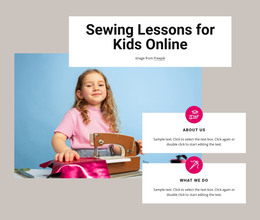

More HTML Templates from Fashion & Beauty Category















Other Fashion & Beauty HTML Templates
High-Performance Sewing HTML Templates
A sewing HTML template gives you the front end and nothing to log into. The files arrive finished; you replace the demo text and photos, and the result goes onto whatever hosting the studio already pays for. Tailors working with a developer prefer this format, since the markup, scripts, and image assets are all in hand.
Repeating Blocks for Service Listings
Sewing content repeats more than most. Ten alteration prices share one card shape, and a course list is the same block with different dates. A template's value lies in how cleanly those blocks copy from one page to another.
Check what each repeating block is built to hold:
- An alteration card with the service name, a short description, and a note on fitting requirements.
- A course card carrying level, topic, and duration, with dates easy to change.
- A gallery item whose caption can name the garment, the fabric, and the technique.
- A commission block that runs through consultation, measurements, and final fitting.
Navigation should stay identical across those pages, since someone who came for hemming prices often leaves through the gallery.
Long Descriptions on Narrow Screens
Garment photography does not behave like stock imagery. Portrait shots, full-length dresses, and close details land in the same gallery at different proportions. A template that only looks right with identical squares will fight you after the first real photo session. Nicepage's Grid Element places images and text into responsive cells, and the Responsive Web Design workflow shows the same layout on desktop, tablet, and phone.
Three things are worth opening on a phone before you decide:
- The gallery, with the longest garment caption you have, to see where the text breaks.
- The service list, since fitting notes and prices tend to stack awkwardly once columns collapse.
- The contact block, which stays reachable from the bottom of a long project story.
Swap Demo Content, Then Deploy
The real test starts when the demo is gone. A template earns its price if the sample text and photos render without the layout shifting. The file structure should be clear enough that a developer can find the course page in a minute.
Nicepage exports the project as ready files for the hosting environment you choose, so the studio stays with its own provider and the markup stays editable. Weigh a sewing HTML template by the time it saves once the demo content is out, since that is when a weak structure shows.