
1380 Grid WordPress Themes






































































































Grid WordPress Themes for Portfolios, Archives, and Blogs
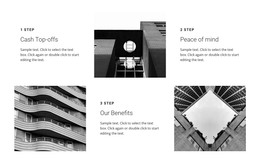
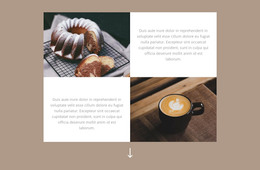
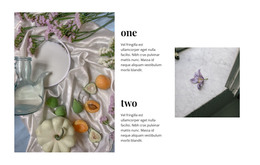
A Grid WordPress Theme is most convincing when its post listings and portfolio archives are as thoughtfully composed as its homepage. Look at how the design presents featured articles, groups of post cards, and individual projects. The real test is what happens as the collection grows, not whether one sample Grid looks attractive.
Compare Grid-Driven WordPress Theme Styles
Different site types call for different approaches to collections:
- Masonry portfolios: Image cards of varied heights create a gallery suited to mixed photography or project previews.
- Editorial grids: A featured post takes more space than secondary articles, giving visitors a clear entry point.
- Regular post archives: Consistent cards with titles, dates, and excerpts make larger collections easier to scan.
- Business showcases: A structured project Grid sits alongside navigation and service pages without defining every section.
A masonry layout needs careful image choices, while a conventional archive Grid may be better for reading many headlines. Choose the theme's browsing pattern to match your content, not the other way around.
Test the Archive and Mobile Layouts
A homepage may feature three selected stories while an archive holds thirty. Check how each layout handles additional content, longer headlines, category labels, and individual article pages.
When comparing themes, inspect:
- Archive cards: Can readers identify the title, preview image, and relevant metadata?
- Featured posts: Does a prominent story remain clearly distinct from the regular listing?
- Portfolio browsing: Does the gallery suit consistent thumbnails, variable-height images, or both?
- Mobile grids: Do cards rearrange into a logical sequence without cramped excerpts?
Check what the specific theme actually supports. Archive layouts, single-post templates, and dynamic WordPress listings are theme-level capabilities, and they are not guaranteed by a Grid-style homepage preview. A beautiful listing is not enough if visitors cannot browse the archive or comfortably read an individual post.
Distinguish a WordPress Theme From a Grid Block
A WordPress theme can provide the archive layout, individual-post presentation, and the patterns used for dynamic content listings, depending on its features. A Nicepage Grid block is an editable section inside page content. Changing its cells does not create archive templates or automatically turn static cards into a dynamic WordPress listing.
When you only need a visual project overview on a Nicepage-created page, the Grid Element documentation explains the cell and spacing controls. For a full WordPress site, compare the theme's wider page designs first.
Customize Supporting Pages in Nicepage
Nicepage's WordPress Plugin supports editing Nicepage-created pages, including their images, text, and Grid sections. The Edit Content With WordPress Plugin guide covers that page-editing workflow.
Nicepage desktop workflows can also support WordPress theme export. Theme selection and editing a Grid on a page are different decisions: choose the overall theme for its site-wide listing and navigation patterns, then refine individual page sections where appropriate.
Grid WordPress Themes FAQ
Are Grid WordPress themes only suitable for portfolios?
No. Grid-led layouts also suit blogs, magazines, company websites, and content collections that benefit from organized previews.
Is a Nicepage Grid block a complete WordPress theme?
No. A Grid block is an editable page section. A WordPress theme addresses the site's wider presentation and page framework.
What should I inspect besides the theme homepage?
Check archive cards, featured posts, project galleries, individual pages, navigation, and how those grids adapt on mobile.
Can I edit a Grid on a Nicepage-created WordPress page?
Yes. The Nicepage WordPress Plugin supports editing Nicepage-created page content, including Grid sections.
Can I export a Nicepage project from the WordPress Plugin?
No. Nicepage project export is supported through its Desktop Applications and Online Builder, not through the WordPress Plugin.
Choose a Theme That Can Handle Your Content Library
Compare the way each WordPress theme organizes post archives, portfolio grids, and featured entries. Then review the single-content pages and mobile layouts before refining individual Nicepage Grid sections.






















































