
Overlap Block WordPress Themes
-

-

-
-
-
-
-
-
-
-
-
-
-
-
-
-
-
-
-
-
-
-
-
-
-
-
-
-
-
-
-
-
-
-
-
-
-
-
-
-
-
Free Website Builder SoftwareDownload
-
-
-
-
-
-
-






































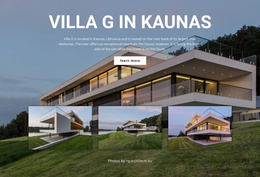

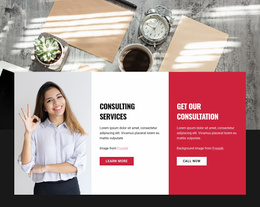




Professional Overlap Block WordPress Themes for Editable Page Sections
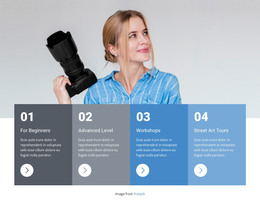
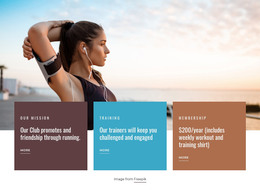
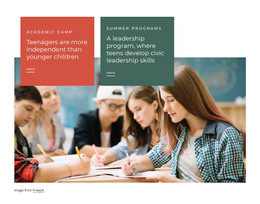
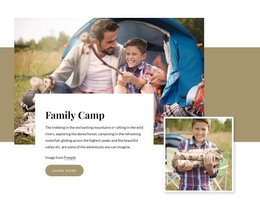
Overlap Block WordPress Themes bring a reusable visual section into a CMS-oriented page workflow. The block can combine a large image, text panel, supporting copy, color area, and action in one coordinated composition, while the wider WordPress project continues to handle the surrounding pages and content structure.
This makes the pattern useful when a WordPress page needs one stronger editorial moment without redesigning the entire theme. The overlap can highlight a service, introduce a featured story, present a product category, or create a more distinctive section inside a long-form page.
Where Can an Overlap Section Work in a WordPress Page?
WordPress pages often mix reusable theme areas with page-specific content. An overlap block fits naturally into that model because it can act as a self-contained visual section while still matching the typography, colors, and spacing of the broader site.
Common placements include:
- service pages that need a strong introductory feature below the hero;
- about pages with an image-and-story composition;
- category or promotional pages that need a highlighted content area before standard listings.
The section does not need a special content type to work. What matters is that the image, card, and surrounding panels remain visually connected rather than reading as separate widgets.
Build a Reusable Theme Section Instead of a One-Off Effect
A useful WordPress overlap design should be easy to adapt when the page content changes. The visual anchor can stay consistent while the image, headline, copy, and action are replaced for another page context.
For a reusable result, keep a few relationships stable:
- the main visual anchor should remain clear;
- the foreground card should retain enough space for readable content;
- theme styling should connect the section to the rest of the site.
Nicepage Elements and Blocks provide the pieces used to assemble and adapt this type of mixed-content composition. Responsive Modes are especially useful because an arrangement that feels balanced on a large screen may need different offsets or spacing on tablets and phones.
Keep the WordPress Workflow Focused on the Page Content
The WordPress-specific value is not the geometry alone; it is the ability to use the overlap as an editable section within a CMS project. After customizing the block in Nicepage, the supported workflow allows you to export and install the WordPress Theme, Plugin, and Pages.
Nicepage also documents how to edit the WordPress Theme directly in WordPress, which can support continued visual work after installation. These steps are supporting parts of the workflow rather than the main subject of the section itself.
A practical WordPress scenario is an About page that uses the same overlap treatment for a founder story today and a company milestone feature later. The section structure remains reusable, while its content changes with the CMS page context.
Preserve Readability Across Responsive Views
Overlap layouts often rely on horizontal space, so smaller screens need careful review. A text card that partially covers an image on desktop may need a smaller offset or a stacked arrangement on a phone.
Check the section for:
- text readability over changing image areas;
- image crops that still preserve the subject;
- comfortable spacing above and below the foreground panel.
The goal is to maintain the same emphasis without forcing the desktop arrangement into every viewport.
Overlap Block and Over Grid Solve Different Layout Needs
An Overlap Block works when the key relationship is between a foreground element and another section element, such as an image or broad color panel. Over Grid keeps a repeated grid visible underneath the foreground content.
That makes the overlap pattern more flexible for editorial WordPress sections where one image-card relationship needs to dominate, while Over Grid is better suited to compositions whose repeated cells remain important to the layout.
Overlap Block WordPress Theme FAQ
Can an Overlap Block Be Reused on Different WordPress Pages?
Yes. A prepared overlap composition can be adapted with different images, headings, copy, and actions while keeping a consistent visual structure across multiple pages.
Can a Nicepage Project Be Prepared for WordPress?
Yes. Nicepage supports a workflow for exporting and installing the WordPress Theme, Plugin, and Pages. The overlap design remains one section within the wider WordPress project.
Can I Continue Editing with Nicepage After WordPress Installation?
Yes. Nicepage documentation describes continued editing with the Nicepage WordPress Plugin, including direct WordPress theme editing in the supported workflow.
How Should an Overlap Section Be Checked on Smaller Screens?
Review the image crop, text readability, foreground-panel size, and spacing in Responsive Modes. The exact overlap can change as long as the intended visual emphasis remains clear.
Is an Overlap Block the Same as Over Grid?
No. Over Grid keeps a recognizable grid as the base structure. An Overlap Block can rely on a single image, card, or panel relationship without repeated grid cells underneath.
Add an Editable Overlap Section to Your WordPress Project
Choose a composition that already matches the page role you need, then adapt its content while keeping the core visual hierarchy intact. Connect the colors and typography to the rest of the theme, review the responsive behavior, and use the block as a repeatable page section rather than an isolated decorative effect.






















































