Restaurant bar and grill WordPress Theme


Stable Restaurant Page Content Built Around a Menu Destination
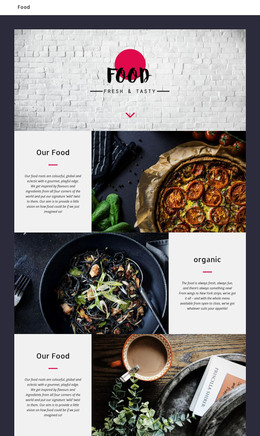
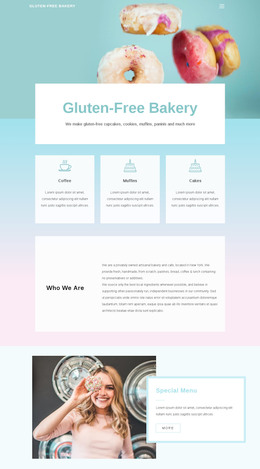
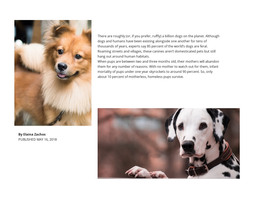
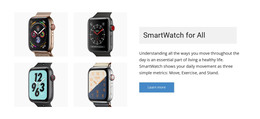
The block reads as durable page content rather than a time-sensitive announcement. Its “Bar & Grill” heading names a specific dining offering, the supporting paragraph provides concise context, and the “View menu” link gives visitors a clear way to continue toward more detailed food information. The two food photographs reinforce that content visually: the tall left image leads the composition, while the smaller center image adds variety without disrupting the message.
In a WordPress-oriented project, this section can occupy a stable part of a restaurant page while the wider site manages other content around it. A menu page, reservation area, location information, contact section, or changing updates can be maintained separately, leaving this block responsible for its focused offering presentation. The block itself does not need to become a theme-level structure to remain useful as publishable page content.
Its visual treatment also supports consistency when the section is placed beside other restaurant content. The white background gives the page room to breathe, bold black typography establishes a readable hierarchy, and warm photography supplies the strongest color emphasis. The uppercase, underlined “View menu” link adds a recognizable destination cue. Within a WordPress-managed page, those relationships can preserve the section’s identity while the surrounding project handles broader publishing and site organization.
Customize with Nicepage
Open this ready-made template in the WordPress Website Builder and customize it visually in the Nicepage editor. Replace demo content, edit page sections, and adapt the design to your project without rebuilding the template from scratch.
Edit Template Offline
2. Create a new page or select existing
3. Click Add new block, search for id 57270 and click enter
Edit Template Online
Create Awesome Websites


Free Nicepage Builder
Keywords
Use This Block in a WordPress-Managed Website
Keep the Block as Page Content
Use the block as one content/layout section inside a WordPress-oriented site rather than treating the Block ID as a complete WordPress Theme. Its verified text, images, repeated items, forms, galleries, or other elements can remain part of permanent page content while WordPress manages the wider site.
Work With Nicepage and WordPress
A Nicepage WordPress project can be installed using the WordPress Theme, Plugin, and Pages workflow. After installation, the same visual section can participate in WordPress-managed pages as part of the broader theme/site structure.
Continue Editing in WordPress
Nicepage supports editing the WordPress Theme directly in WordPress. Use WordPress Pages, Posts, Blog structures, and other CMS concepts only when they are relevant to the surrounding project; their existence must not be inferred from the analyzed block alone.
This workflow keeps the block's verified section function separate from the WordPress theme architecture while allowing it to participate in a CMS-managed website.