Strategic planning process WordPress Theme


A Mission Paragraph Gives the WordPress Section a Stable Content Role
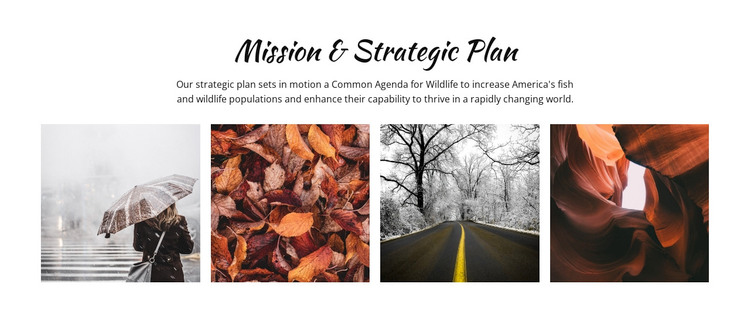
The block is organized around permanent informational content rather than a changing list of entries. Its centered heading, “Mission & Strategic Plan,” identifies the subject, and the paragraph explains a Common Agenda for Wildlife focused on increasing America’s fish and wildlife populations. This written message supplies the section’s main context. The four photographic tiles beneath it add a visual interpretation of that context through scenes of rain, fallen leaves, a winter road, and a canyon, while remaining grouped as one gallery rather than separate page destinations.
Within a WordPress-managed page, the section can provide a consistent mission or strategic-plan area surrounded by other publishable content. The centered text gives visitors a clear entry point, and the single-row gallery creates a compact visual pause after the paragraph. White space and black typography keep the reading order uncomplicated, while the handwritten-style heading adds a recognizable accent without overwhelming the subject. Confirmed lightbox behavior lets visitors examine the four images more closely when the photographic details matter. The wider WordPress project can manage other page content around this region, but the block itself remains a focused combination of mission explanation, nature imagery, and gallery viewing.
Customize with Nicepage
Open this ready-made template in the WordPress Website Builder and customize it visually in the Nicepage editor. Replace demo content, edit page sections, and adapt the design to your project without rebuilding the template from scratch.
Edit Template Offline
2. Create a new page or select existing
3. Click Add new block, search for id 55319 and click enter
Edit Template Online
Create Awesome Websites


Free Nicepage Builder
Keywords
Manage and Edit This Theme in WordPress
Customize and Install the WordPress Theme
Start with this ready-made theme instead of building the WordPress design from scratch. Customize its layout, content, typography, images, sections, and other design elements visually in Nicepage editor, then export and install the WordPress Theme, Plugin, and Pages on your WordPress site. The Nicepage WordPress Plugin lets you continue working with the site after installation.
Edit the Theme Directly in WordPress
After installation, you can edit the WordPress Theme directly in WordPress with the Nicepage WordPress Plugin. Use Site Style to customize site Colors, Fonts, Header, Footer, Blog, and Post Page Templates while working within your WordPress website.
Edit WordPress Pages Visually
Use the Nicepage WordPress Plugin to edit page content directly from the WordPress admin area. Open a WordPress Page with Nicepage and visually change its text, images, sections, and other page elements while continuing to manage the Page through WordPress.
WordPress Content and Theme Integration
Use the customized theme with WordPress Pages, Posts, Blog and Post Templates, menus, widgets, and other CMS-managed content. Shared theme elements such as Colors, Fonts, Header, Footer, Blog, and Post Page Templates can be managed as part of the overall site design, while WordPress provides the CMS environment for managing site content.
This workflow combines a ready-made WordPress Theme with visual customization, direct theme editing in WordPress, and continued content management through the Nicepage WordPress Plugin.