
Product Details WordPress Themes
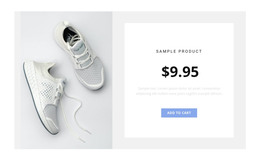

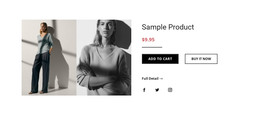
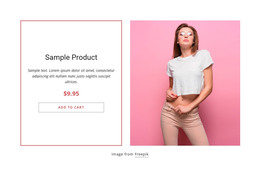
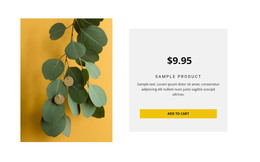
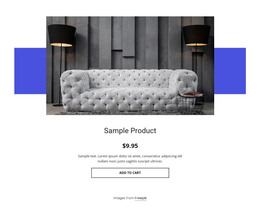
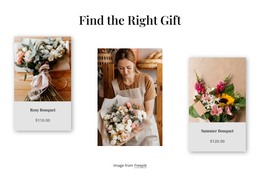
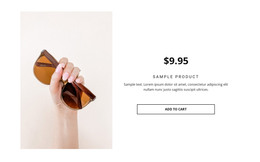
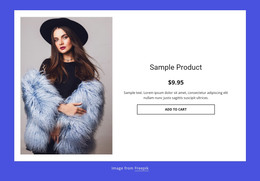
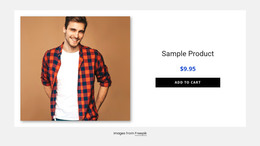

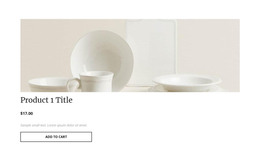
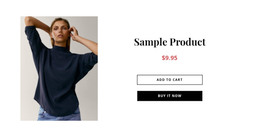
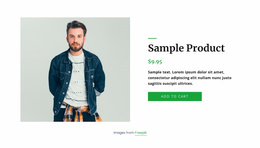
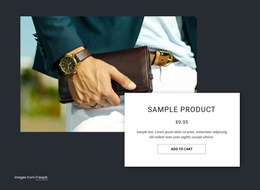
Customizable Product Details WordPress Themes for WooCommerce Product Presentation
Product Details WordPress Themes provide single-product layouts for WordPress projects that use WooCommerce. Choose a design that gives product imagery, price, variations or options, supporting information, and the main shopping action a clear place within the surrounding storefront.
The best theme choice depends on the product itself. Image-heavy merchandise, configurable products, and items with substantial supporting details can all require different balances between the visual area and the product information area.
Use Product Details in a WordPress WooCommerce Project
In a WordPress WooCommerce project, the Product Details area should make it easy to inspect and act on a selected product. Product imagery can establish the item visually, while price, variations or options, supporting information, and the main shopping action stay grouped in a clear purchasing context.
A useful WooCommerce single-product layout leaves enough room for:
- product imagery with appropriate visual weight;
- price and product options in an easy-to-find position;
- longer descriptions or specifications when the item needs them;
- a clearly presented main product action;
- a single-product area that fits the surrounding WordPress website design.
Together, these elements create a practical single-product presentation that fits naturally within the surrounding WooCommerce storefront without crowding the main shopping decision.
Fit the Layout Into the WordPress Project
A single-product area belongs to a larger storefront. Its typography, spacing, image treatment, and controls should feel consistent with the rest of the WordPress project while still giving the selected item more depth than a category or catalog view. For projects built around this platform, WordPress Themes provide the broader design context around the Product Details presentation.
Nicepage supports e-commerce projects in WordPress with WooCommerce. Within that supported workflow, Product Details acts as the presentation layer for an individual product, while broader navigation and catalog organization remain part of the surrounding website.
When reviewing a theme, make sure the Product Details area feels consistent with the surrounding storefront while keeping the selected product, its options, and the main shopping action easy to recognize.
Adapt Product Information Without Overloading the Layout
Some products need only a concise description and a few choices. Others need multiple options or more detailed supporting information. Select a layout that can accommodate the expected content without pushing the primary shopping action too far away from the information that supports it.
A practical review can focus on:
- visual space for the product;
- option density and readability;
- room for supporting details;
- alignment with the site's existing visual system.
The goal is a usable single-product presentation, not simply a larger version of a product card.
Product Details WordPress Themes FAQ
Can Nicepage Be Used With WordPress WooCommerce?
Yes. Nicepage supports e-commerce websites based on WordPress and WooCommerce.
Is Product Details the Same as a WooCommerce Product Catalog?
No. Product Details focuses on presenting one selected product. A Product List is the closer fit when visitors need to browse multiple products as a catalog or collection.
Can I Export a Nicepage Project From the WordPress Plugin?
No. The Nicepage WordPress Plugin does not support project export.
Do I Need a Separate Premium Plan for the WordPress Plugin?
No. The Nicepage Premium Plan covers the Desktop Application, WordPress Plugin, Joomla Extension, and Online Builder.
Add Product Details to Your WordPress Workflow
Choose a design that fits the type of product and the surrounding WooCommerce storefront. Adapt the imagery, product information, options, and visual treatment in Nicepage, then use the section within the supported WordPress WooCommerce workflow. Keep the single-product purpose clear while matching the broader website design.





















































