Man truck innovations WordPress Theme


Stable Transportation Content in a Three-Column Page Section
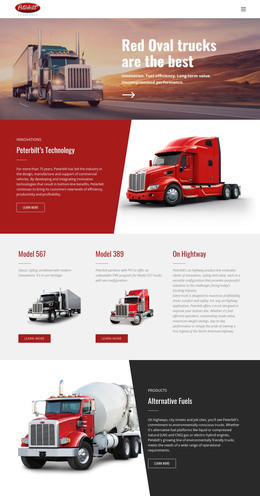
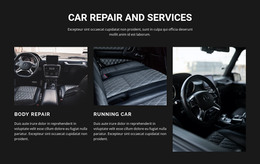
The two image-and-text columns read as stable page content that can support a transportation or innovation area in a WordPress-managed project. Each column connects a rectangular transport image with a descriptive paragraph, allowing related information to remain visually grouped. This repeated structure is suited to content that needs to stay readable and consistent while the surrounding site grows with additional pages or managed content.
The adjacent yellow panel provides the section’s primary editorial emphasis. It is headed “MAN Truck Innovations” and includes the statement “Goods transport is undergoing rapid change,” followed by information referencing electromobility, automated driving, buses, and coaches. Strong black typography, horizontal divider lines, generous padding, a circular arrow graphic, and a brand mark image create a clear reading order and distinguish the panel from the white background used by the supporting columns.
Within a WordPress-oriented site, the section can remain a publishable visual content area for services or innovation information while the broader project handles other page content through its own CMS structure. The block does not need to carry navigation, site-wide theme architecture, or unrelated editorial functions to be useful. Its role is narrower and concrete: present two supporting transportation descriptions beside one highlighted information group, with a visual arrangement that can remain consistent as part of a larger managed page.
Customize with Nicepage
Open this ready-made template in the WordPress Website Builder and customize it visually in the Nicepage editor. Replace demo content, edit page sections, and adapt the design to your project without rebuilding the template from scratch.
Edit Template Offline
2. Create a new page or select existing
3. Click Add new block, search for id 45139 and click enter
Edit Template Online
Create Awesome Websites


Free Nicepage Builder
Keywords
Manage and Edit This Theme in WordPress
Customize and Install the WordPress Theme
Start with this ready-made theme instead of building the WordPress design from scratch. Customize its layout, content, typography, images, sections, and other design elements visually in Nicepage editor, then export and install the WordPress Theme, Plugin, and Pages on your WordPress site. The Nicepage WordPress Plugin lets you continue working with the site after installation.
Edit the Theme Directly in WordPress
After installation, you can edit the WordPress Theme directly in WordPress with the Nicepage WordPress Plugin. Use Site Style to customize site Colors, Fonts, Header, Footer, Blog, and Post Page Templates while working within your WordPress website.
Edit WordPress Pages Visually
Use the Nicepage WordPress Plugin to edit page content directly from the WordPress admin area. Open a WordPress Page with Nicepage and visually change its text, images, sections, and other page elements while continuing to manage the Page through WordPress.
WordPress Content and Theme Integration
Use the customized theme with WordPress Pages, Posts, Blog and Post Templates, menus, widgets, and other CMS-managed content. Shared theme elements such as Colors, Fonts, Header, Footer, Blog, and Post Page Templates can be managed as part of the overall site design, while WordPress provides the CMS environment for managing site content.
This workflow combines a ready-made WordPress Theme with visual customization, direct theme editing in WordPress, and continued content management through the Nicepage WordPress Plugin.