
Full Width Slider WordPress Themes








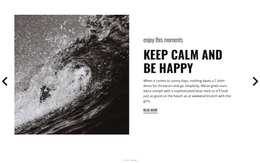

















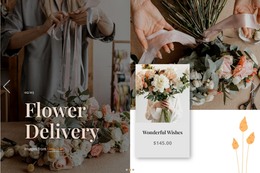







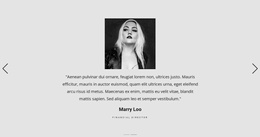

Creative Full-Width Slider WordPress Themes for Responsive Hero Presentation
Full Width Slider WordPress Themes combine the structure of a WordPress theme with a prominent section-wide slider that can introduce featured content directly on the homepage or another important page. The slider remains the visual focus: large imagery, headings, short supporting text, navigation, and optional actions move through the same expansive area.
This format works well for WordPress sites that need to highlight several high-priority items without giving each one its own hero-sized section.
Choose a WordPress Theme With the Right Slider Role
A Full Width Slider can serve several practical theme scenarios:
- Homepage hero: rotate primary brand, service, or product messages.
- Featured content: present important posts, projects, destinations, or offers.
- Campaign area: switch between current promotions or announcements.
- Portfolio or product introduction: give several visuals comparable prominence.
The important choice is how naturally the slider fits the theme's overall layout. It should feel like a designed part of the homepage or page template, not an unrelated carousel inserted afterward.
Keep the Slider Responsive Across the Theme
A wide hero slider may look impressive on desktop, but its composition must also stay clear on tablets and phones. Headline length, text placement, image focal points, and control positions may need adjustment as the viewport becomes narrower.
For a responsive WordPress theme, check whether:
- important text remains readable over or beside the image;
- navigation controls stay visible and usable;
- cropping preserves the visual subject;
- buttons do not crowd the slide on smaller screens.
This matters most when the slider is the first major section visitors see.
Edit Slide Content Within the Nicepage Workflow
Nicepage's Slider Element provides the slider-oriented foundation for this interaction. In a WordPress project, you can adapt the slide imagery, headings, descriptions, and actions so the section matches the site's theme direction.
The Full Width Slider should be integrated into the WordPress theme structure as a key visual feature, with its imagery, content, controls, and placement working naturally with the homepage or page template around it.
Consistent typography, spacing, and image treatment help the slider feel integrated with menus, content areas, and other theme sections.
Design the Homepage Slider Around Real Theme Content
A WordPress theme with a full-width slider is most useful when the slides represent content the site genuinely needs to feature. A business site may rotate key services, a portfolio may introduce selected projects, and a publication-style site may highlight featured stories.
Avoid filling every available slide simply because the theme supports several states. A shorter sequence with clear visual hierarchy and meaningful content usually feels stronger than a crowded carousel.
Full Width Slider and Standard Slider in WordPress Themes
A standard Slider also rotates multiple content states, but it can remain inside a bounded content area. A Full Width Slider gives the carousel more visual authority by extending the composition across the available section width.
That makes it particularly suitable for WordPress hero areas, homepage introductions, and major featured-content sections where scale is part of the design.
Full Width Slider WordPress Theme FAQ
What Content Works Well in a Full Width Slider WordPress Theme?
Featured services, products, campaigns, portfolio items, important stories, or brand messages can all work well when they need strong visual prominence on the homepage or another key page.
Can a Nicepage Theme Be Edited Directly Inside WordPress?
According to the supplied Nicepage product information, you can export WordPress and Joomla themes from the Desktop Application and Online Builder. Still, you can't edit them directly in WordPress or Joomla.
Can I Export a Nicepage Project From the WordPress Plugin?
No. The supplied Nicepage product information states that the WordPress Plugin and Joomla Extension do not support project export.
Should a Homepage Slider Use the Full Available Width?
Use the full-width format when large imagery and section-wide transitions are important to the theme's first impression. A more compact Slider is better when rotating content should remain secondary to the surrounding layout.
Can the Slider Be Adapted for Mobile Views?
Yes. Review the slide composition across responsive modes so text, controls, buttons, and image focal points remain usable on narrower screens.
Add a Full-Width Hero Slider to the WordPress Theme
Choose a WordPress theme direction where the slider has a clear purpose, then adapt its imagery, copy, controls, and actions in the Nicepage editor. Keep the sequence responsive and visually connected to the rest of the theme so the Full Width Slider feels like a natural part of the site rather than a separate visual insert.






















































