Best coastal destinations WordPress Theme


A Visual Destination Section for WordPress Page Content
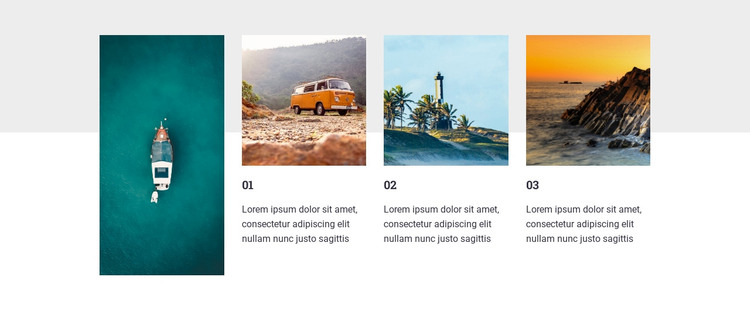
The gallery’s content model suits a WordPress-managed page because it combines stable visual material with three clearly bounded areas for accompanying descriptions. The tall portrait photograph on the left can introduce the visual theme of the section, while the three landscape images on the right provide separate places for destination or experience content. Numeric labels 01, 02, and 03 distinguish those items and give the row a measured progression without adding interaction to the static block.
As page content, the section can hold a curated set of travel images and concise descriptions within one reusable layout. The white and light-gray canvas supports readability beneath the images, and the contrast between the single vertical photograph and the three horizontal items creates a varied composition that can sit between other content regions. A broader WordPress-managed page can handle navigation, longer destination information, booking content, or related sections around it.
The three paragraphs shown in the block are placeholders rather than established destination facts. They can therefore be replaced with the site’s own descriptions while preserving the four-image structure, numeric sequence, and image-to-text relationships. Nicepage supports WordPress-managed page projects, but this block remains a focused gallery content area rather than a standalone WordPress theme or complete site.
Customize with Nicepage
Open this ready-made template in the WordPress Website Builder and customize it visually in the Nicepage editor. Replace demo content, edit page sections, and adapt the design to your project without rebuilding the template from scratch.
Edit Template Offline
2. Create a new page or select existing
3. Click Add new block, search for id 56802 and click enter
Edit Template Online
Create Awesome Websites


Free Nicepage Builder
Keywords
Manage and Edit This Theme in WordPress
Customize and Install the WordPress Theme
Start with this ready-made theme instead of building the WordPress design from scratch. Customize its layout, content, typography, images, sections, and other design elements visually in Nicepage editor, then export and install the WordPress Theme, Plugin, and Pages on your WordPress site. The Nicepage WordPress Plugin lets you continue working with the site after installation.
Edit the Theme Directly in WordPress
After installation, you can edit the WordPress Theme directly in WordPress with the Nicepage WordPress Plugin. Use Site Style to customize site Colors, Fonts, Header, Footer, Blog, and Post Page Templates while working within your WordPress website.
Edit WordPress Pages Visually
Use the Nicepage WordPress Plugin to edit page content directly from the WordPress admin area. Open a WordPress Page with Nicepage and visually change its text, images, sections, and other page elements while continuing to manage the Page through WordPress.
WordPress Content and Theme Integration
Use the customized theme with WordPress Pages, Posts, Blog and Post Templates, menus, widgets, and other CMS-managed content. Shared theme elements such as Colors, Fonts, Header, Footer, Blog, and Post Page Templates can be managed as part of the overall site design, while WordPress provides the CMS environment for managing site content.
This workflow combines a ready-made WordPress Theme with visual customization, direct theme editing in WordPress, and continued content management through the Nicepage WordPress Plugin.