Smooth lines in facades WordPress Theme



The Four-Part Row Gives WordPress Page Content a Visual Sequence
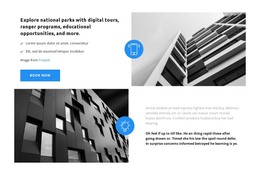
The bold “About Company” heading provides an immediate label for a company-introduction section, and the directional arrow beneath it adds a visual cue without introducing a separate interaction. The row then alternates image and text: one tall architectural photograph leads toward the compact descriptive paragraph, and a second photograph closes the arrangement. This order makes the section suitable for stable page content that needs a visual narrative as well as an explanation.
The paragraph is deliberately narrower than the full row, so it reads as a focused statement between two strong image areas. The architectural photographs supply visual framing and subject context, while the white background, black typography, and generous spacing maintain separation between the four parts. Because the block is static, visitors encounter the complete introduction at once rather than moving through tabs, slides, or expandable content.
For a WordPress-managed page, the section can remain a reusable company-information area while the broader project handles other publishable content around it. Its consistent heading, text position, and paired imagery make the block easy to recognize when a page needs an about or organizational introduction. WordPress provides the surrounding content environment; this reusable section contributes one defined visual and informational unit, not a standalone WordPress theme.
Customize with Nicepage
Open this ready-made template in the WordPress Website Builder and customize it visually in the Nicepage editor. Replace demo content, edit page sections, and adapt the design to your project without rebuilding the template from scratch.
Edit Template Offline
2. Create a new page or select existing
3. Click Add new block, search for id 294799 and click enter
Edit Template Online
Create Awesome Websites


Free Nicepage Builder
Keywords
Manage and Edit This Theme in WordPress
Customize and Install the WordPress Theme
Start with this ready-made theme instead of building the WordPress design from scratch. Customize its layout, content, typography, images, sections, and other design elements visually in Nicepage editor, then export and install the WordPress Theme, Plugin, and Pages on your WordPress site. The Nicepage WordPress Plugin lets you continue working with the site after installation.
Edit the Theme Directly in WordPress
After installation, you can edit the WordPress Theme directly in WordPress with the Nicepage WordPress Plugin. Use Site Style to customize site Colors, Fonts, Header, Footer, Blog, and Post Page Templates while working within your WordPress website.
Edit WordPress Pages Visually
Use the Nicepage WordPress Plugin to edit page content directly from the WordPress admin area. Open a WordPress Page with Nicepage and visually change its text, images, sections, and other page elements while continuing to manage the Page through WordPress.
WordPress Content and Theme Integration
Use the customized theme with WordPress Pages, Posts, Blog and Post Templates, menus, widgets, and other CMS-managed content. Shared theme elements such as Colors, Fonts, Header, Footer, Blog, and Post Page Templates can be managed as part of the overall site design, while WordPress provides the CMS environment for managing site content.
This workflow combines a ready-made WordPress Theme with visual customization, direct theme editing in WordPress, and continued content management through the Nicepage WordPress Plugin.