Executive coaching programs WordPress Theme


A Structured Coaching Content Area for WordPress Pages
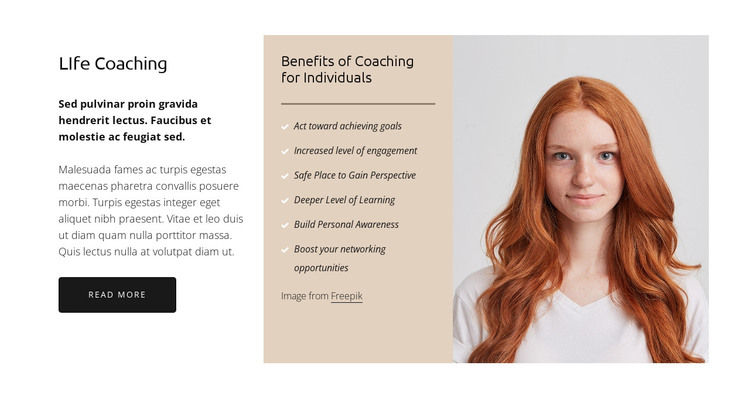
The two text-led columns give this section a stable page-content role in a WordPress-managed coaching site. “Life Coaching” introduces the subject with supporting copy and a “Read more” button, while the separate “Benefits of Coaching for Individuals” panel turns the broader message into six scannable points. Those points address acting toward goals, increasing engagement, gaining perspective, reaching a deeper level of learning, building personal awareness, and expanding networking opportunities. Together, the columns can communicate the value of individual coaching without making the section carry every page function.
The visual arrangement also supports consistent reuse. A white background frames the content, the warm beige center panel marks the benefits as a distinct information group, and the horizontal divider with light checkmark bullets gives the list a clear rhythm. On the right, the portrait photograph adds a human focal point and offsets the reading density of the left and center columns. In a WordPress-oriented project, this block can remain a recognizable coaching section within a stable page while the broader site handles other content areas around it. The static interaction keeps the structure straightforward: introduction first, benefits next, visual reinforcement alongside them, and the compact action beneath the opening copy.
Customize with Nicepage
Open this ready-made template in the WordPress Website Builder and customize it visually in the Nicepage editor. Replace demo content, edit page sections, and adapt the design to your project without rebuilding the template from scratch.
Edit Template Offline
2. Create a new page or select existing
3. Click Add new block, search for id 414390 and click enter
Edit Template Online
Create Awesome Websites


Free Nicepage Builder
Keywords
Manage and Edit This Theme in WordPress
Customize and Install the WordPress Theme
Start with this ready-made theme instead of building the WordPress design from scratch. Customize its layout, content, typography, images, sections, and other design elements visually in Nicepage editor, then export and install the WordPress Theme, Plugin, and Pages on your WordPress site. The Nicepage WordPress Plugin lets you continue working with the site after installation.
Edit the Theme Directly in WordPress
After installation, you can edit the WordPress Theme directly in WordPress with the Nicepage WordPress Plugin. Use Site Style to customize site Colors, Fonts, Header, Footer, Blog, and Post Page Templates while working within your WordPress website.
Edit WordPress Pages Visually
Use the Nicepage WordPress Plugin to edit page content directly from the WordPress admin area. Open a WordPress Page with Nicepage and visually change its text, images, sections, and other page elements while continuing to manage the Page through WordPress.
WordPress Content and Theme Integration
Use the customized theme with WordPress Pages, Posts, Blog and Post Templates, menus, widgets, and other CMS-managed content. Shared theme elements such as Colors, Fonts, Header, Footer, Blog, and Post Page Templates can be managed as part of the overall site design, while WordPress provides the CMS environment for managing site content.
This workflow combines a ready-made WordPress Theme with visual customization, direct theme editing in WordPress, and continued content management through the Nicepage WordPress Plugin.