
2010 Art & Design WordPress Themes















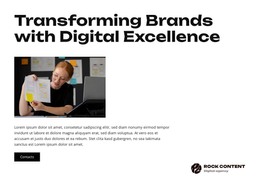
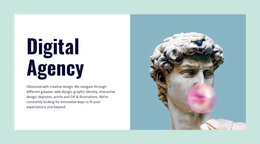

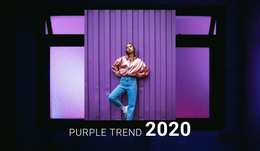


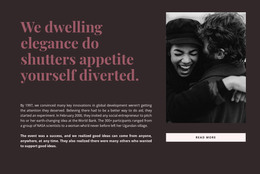






















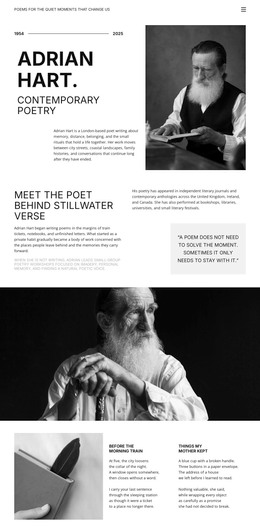

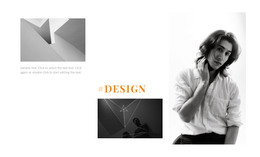

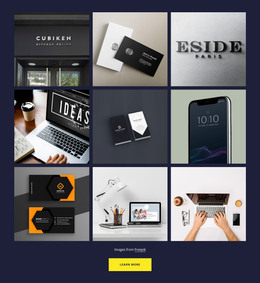















Premium Art & Design WordPress Themes
A coherent portfolio, controlled client edits, and dependable content updates define a strong art-and-design WordPress presence. Art & design WordPress themes give artists and creative studios a CMS-ready route to preserve visual identity while project pages, galleries, and posts evolve.
How to Create a User-friendly Art & Design WordPress Site?
Start with the portfolio structure: featured work, project details, studio profile, journal, and inquiry route. Nicepage lets artists shape the visual system in the Desktop Application, export a WordPress theme, install the accompanying plugin, and continue content edits in WordPress while preserving the designed framework.
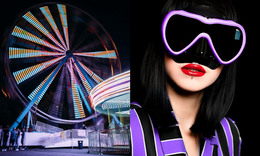
That workflow suits illustrators, photographers, art directors, independent designers, and multidisciplinary studios that need more than a static showcase. A WordPress art portfolio can add new projects or editorial posts without abandoning the original composition, while a WordPress theme for artists keeps those additions inside a consistent visual system. For exhibition-led studios, festival-inspired design references can suggest bolder poster-like sections or event-focused visual cues.
After you choose a design, refine it in the visual page editor, prepare the theme for WordPress, and install the theme and plugin in the CMS. The Nicepage documentation explains the WordPress theme and pages installation workflow to set up a functional site on new hosting. This keeps the path from design concept to CMS deployment clear.
High-performance Features for Art & Design WordPress Themes
Export Websites: The Nicepage Desktop Application for Windows or macOS can export WordPress Themes, providing a creative studio WordPress site with a clear handoff from visual design to CMS use. Visual Page Editor: drag-and-drop positioning lets you adjust text, images, grids, and other elements without code. Image Gallery Element: artwork collections can include titles, hover effects, and styling for portfolio context.
Animation On Scroll: selected elements can receive an on-scroll preset from the Property Panel, useful when motion supports the sequence of an installation, poster series, or digital artwork. Browse animation-led visual ideas for a stronger motion direction, but keep effects secondary to the work itself. Blog Templates: WordPress blogs use Theme Templates for post lists and individual posts, and custom blog templates can be assigned to different post categories.
Header & Footer: The header & footer builder keeps the logo, menu, links, and common studio information consistent across the site. Edit Content Mode: Clients can update text, images, and icons while the design remains protected from accidental damage. Together, these features give a WordPress theme for artists responsive portfolio maintenance, live editor integration, and visual theme customization without reducing WordPress to a basic page container.
Easy-to-use WordPress Workflow for Creative Portfolios
Common Mistake: granting every client or contributor full design access can turn a carefully composed portfolio into a set of inconsistent pages. The Fix: keep structural edits with the designer and assign narrower roles for routine updates; the WordPress User Roles documentation covers permission editing for clients. For a creative studio WordPress site, keep gallery styling, typography, and post templates aligned so new work inherits the same art direction. Neon-light design references can inform accents without replacing that shared system.
Mobile-friendly Art & Design WordPress FAQ
Will a Nicepage update erase custom layout adjustments on my WordPress art portfolio?
No. The Nicepage FAQ states that visual adjustments, block changes, and custom styling rules are preserved during plugin or theme updates, ensuring production layouts remain intact.
Can I give a client limited access to an art and design WordPress site?
Yes. User Roles can give collaborators specific permissions. A client can receive limited Editor access for content changes without full design control, which helps protect the portfolio grid and visual system.
How can I add motion to artwork sections without writing code?
Use Animation On Scroll. Select an element, open the On Scroll setting in the Property Panel, enable Animation, choose a preset, and adjust the effect when needed.
How should I handle Nicepage theme changes for an art WordPress site?
The Nicepage FAQ knowledge base states that WordPress and Joomla themes can be exported from the Desktop Application and Online Builder and cannot be edited directly in WordPress or Joomla.
Art WordPress Portfolio Control
Need a portfolio that moves from visual design to a controlled WordPress theme-and-plugin workflow? Choose a design direction, shape galleries and typography in Nicepage, then prepare the finished theme for WordPress and use the plugin for supported content work.
- Prepare the portfolio structure and visual identity.
- Export the WordPress theme and install the required CMS components.
- Maintain projects, posts, and client-facing content within the defined workflow.
You can start for free, test the design direction, and move to the appropriate Nicepage plan when the WordPress workflow needs Premium features.






















































