Cupcake and cup of coffee WordPress Theme


Food Imagery and Paired Copy Form Stable Page Content
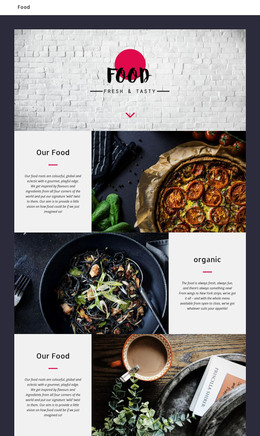
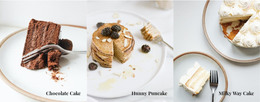
The bundt cake and coffee photographs give this block a clear subject, while the two centered white panels provide matching areas for descriptive page copy. Their diagonal placement creates two related content moments rather than one undifferentiated text column: each image is balanced by a panel across the four-cell composition. The repeated placeholder paragraphs indicate equivalent content density, although they should be replaced with the final wording for the surrounding project.
In a WordPress-managed page, this arrangement can serve as a reusable food or beverage showcase section within broader editorial or commercial content. The block itself remains one bounded section; other page areas can handle headings, navigation, menus, contact details, or actions as needed. Its static interaction makes the content depend on the relationship between image, text, white cell, and taupe surround rather than on a CMS-specific control inside the section.
The downward arrow adds a visual continuation cue below the grid, which may help the section sit naturally between neighboring content areas. WordPress-oriented editing can maintain the section’s visual pattern while the text and images are adapted to the project’s actual subject. The important distinction is that the block contributes a stable content region to a WordPress site, not a complete theme or page architecture. Nicepage’s WordPress workflow can support broader CMS-managed projects while this section retains its own layout logic.
Customize with Nicepage
Open this ready-made template in the WordPress Website Builder and customize it visually in the Nicepage editor. Replace demo content, edit page sections, and adapt the design to your project without rebuilding the template from scratch.
Edit Template Offline
2. Create a new page or select existing
3. Click Add new block, search for id 1021774 and click enter
Edit Template Online
Create Awesome Websites


Free Nicepage Builder
Keywords
Use This Block in a WordPress-Managed Website
Keep the Block as Page Content
Use the block as one content/layout section inside a WordPress-oriented site rather than treating the Block ID as a complete WordPress Theme. Its verified text, images, repeated items, forms, galleries, or other elements can remain part of permanent page content while WordPress manages the wider site.
Work With Nicepage and WordPress
A Nicepage WordPress project can be installed using the WordPress Theme, Plugin, and Pages workflow. After installation, the same visual section can participate in WordPress-managed pages as part of the broader theme/site structure.
Continue Editing in WordPress
Nicepage supports editing the WordPress Theme directly in WordPress. Use WordPress Pages, Posts, Blog structures, and other CMS concepts only when they are relevant to the surrounding project; their existence must not be inferred from the analyzed block alone.
This workflow keeps the block's verified section function separate from the WordPress theme architecture while allowing it to participate in a CMS-managed website.