Urban ecological science WordPress Theme


Stable Page Content With Distinct Visual Grouping
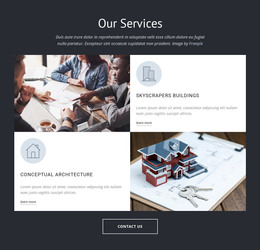
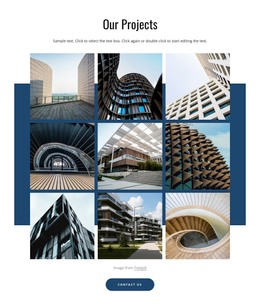
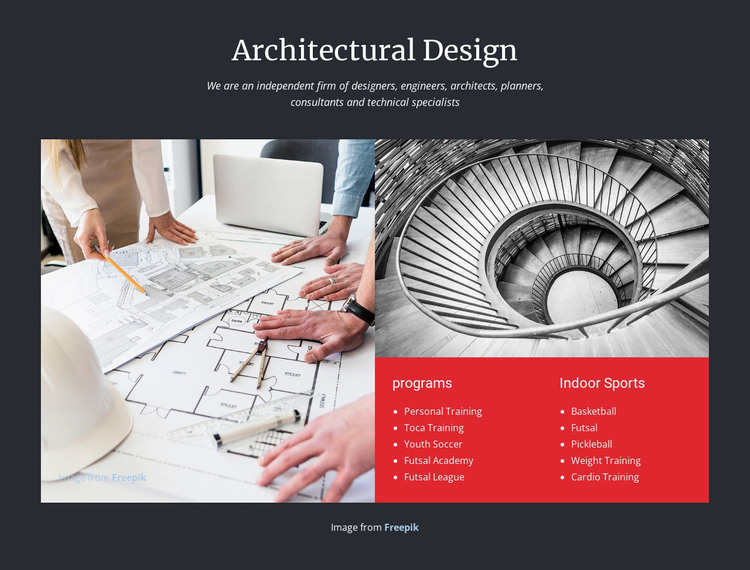
The heading “Architectural Design” and its introductory paragraph read as stable page content that can sit within a WordPress-managed page. They establish a subject and describe an independent group of designers, engineers, architects, planners, consultants, and technical specialists without depending on a changing post stream. Below, the block turns that introduction into a more visual information unit through two architectural images and two labeled category panels.
The large image on the left provides the dominant visual reference, while the smaller image above the right column creates a stepped composition. Beneath it, the red “programs” panel contains five items, including Personal Training, Toca Training, Youth Soccer, Futsal Academy, and Futsal League. The “Indoor Sports” panel contains five further items, including Basketball, Futsal, Pickleball, Weight Training, and Cardio Training. In a WordPress-oriented project, this section can remain a consistent page-content area while other site content is managed around it.
The block’s presentation is especially dependent on clear separation. White centered type introduces the subject, compact list text supports scanning, and the charcoal field unifies the images and panels. WordPress page content can preserve this visual hierarchy while the surrounding project supplies other pages, publishing structures, and site-level organization.
Customize with Nicepage
Open this ready-made template in the WordPress Website Builder and customize it visually in the Nicepage editor. Replace demo content, edit page sections, and adapt the design to your project without rebuilding the template from scratch.
Edit Template Offline
2. Create a new page or select existing
3. Click Add new block, search for id 68216 and click enter
Edit Template Online
Create Awesome Websites


Free Nicepage Builder
Keywords
Manage and Edit This Theme in WordPress
Customize and Install the WordPress Theme
Start with this ready-made theme instead of building the WordPress design from scratch. Customize its layout, content, typography, images, sections, and other design elements visually in Nicepage editor, then export and install the WordPress Theme, Plugin, and Pages on your WordPress site. The Nicepage WordPress Plugin lets you continue working with the site after installation.
Edit the Theme Directly in WordPress
After installation, you can edit the WordPress Theme directly in WordPress with the Nicepage WordPress Plugin. Use Site Style to customize site Colors, Fonts, Header, Footer, Blog, and Post Page Templates while working within your WordPress website.
Edit WordPress Pages Visually
Use the Nicepage WordPress Plugin to edit page content directly from the WordPress admin area. Open a WordPress Page with Nicepage and visually change its text, images, sections, and other page elements while continuing to manage the Page through WordPress.
WordPress Content and Theme Integration
Use the customized theme with WordPress Pages, Posts, Blog and Post Templates, menus, widgets, and other CMS-managed content. Shared theme elements such as Colors, Fonts, Header, Footer, Blog, and Post Page Templates can be managed as part of the overall site design, while WordPress provides the CMS environment for managing site content.
This workflow combines a ready-made WordPress Theme with visual customization, direct theme editing in WordPress, and continued content management through the Nicepage WordPress Plugin.