Family camping adventure WordPress Theme


Stable Camping Guidance Fits a WordPress Page Content Area
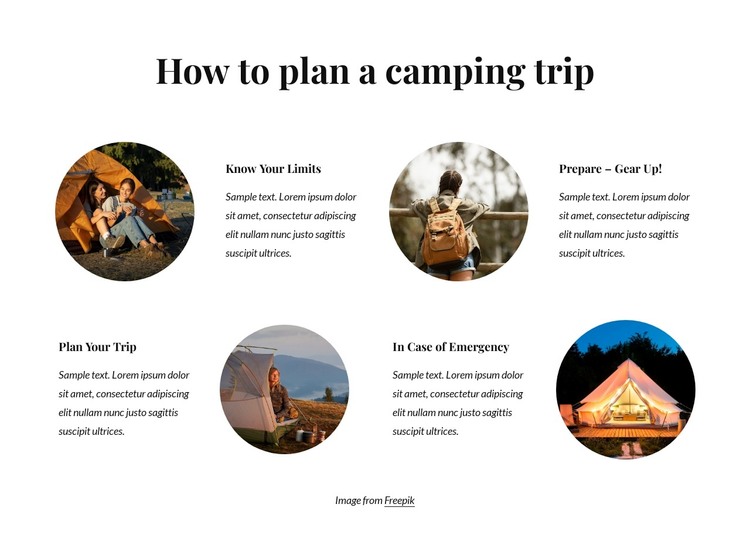
The section reads as durable informational content: one heading followed by four camping-planning topics that can remain useful as part of a broader page. “Know Your Limits,” “Prepare – Gear Up!,” “Plan Your Trip,” and “In Case of Emergency” each combine a title, supporting paragraph, and circular outdoor image. The alternating positions create visual continuity while keeping the four subjects distinguishable for visitors and editors.
In a WordPress-oriented project, this makes the block suitable for a stable travel, camping, or outdoor-information section. The content can sit within a page while other areas of the site handle changing posts, navigation, contact content, or deeper destination information. The centered “How to plan a camping trip” heading gives the section a durable editorial focus, and the repeated structure makes it straightforward to revise one guidance item without losing the overall visual pattern.
The white background and restrained serif hierarchy can also remain consistent with a broader theme direction. Bold titles identify the four content units, while italic paragraphs supply the explanatory layer and generous spacing protects readability. The separate Freepik attribution should remain associated with the images when the section is maintained. This interpretation concerns the block as publishable page content within a WordPress-managed site; it does not make the section a complete WordPress Theme or imply that specific posts, categories, or widgets are already present.
Customize with Nicepage
Open this ready-made template in the WordPress Website Builder and customize it visually in the Nicepage editor. Replace demo content, edit page sections, and adapt the design to your project without rebuilding the template from scratch.
Edit Template Offline
2. Create a new page or select existing
3. Click Add new block, search for id 4545389 and click enter
Edit Template Online
Create Awesome Websites


Free Nicepage Builder
Keywords
Manage and Edit This Theme in WordPress
Customize and Install the WordPress Theme
Start with this ready-made theme instead of building the WordPress design from scratch. Customize its layout, content, typography, images, sections, and other design elements visually in Nicepage editor, then export and install the WordPress Theme, Plugin, and Pages on your WordPress site. The Nicepage WordPress Plugin lets you continue working with the site after installation.
Edit the Theme Directly in WordPress
After installation, you can edit the WordPress Theme directly in WordPress with the Nicepage WordPress Plugin. Use Site Style to customize site Colors, Fonts, Header, Footer, Blog, and Post Page Templates while working within your WordPress website.
Edit WordPress Pages Visually
Use the Nicepage WordPress Plugin to edit page content directly from the WordPress admin area. Open a WordPress Page with Nicepage and visually change its text, images, sections, and other page elements while continuing to manage the Page through WordPress.
WordPress Content and Theme Integration
Use the customized theme with WordPress Pages, Posts, Blog and Post Templates, menus, widgets, and other CMS-managed content. Shared theme elements such as Colors, Fonts, Header, Footer, Blog, and Post Page Templates can be managed as part of the overall site design, while WordPress provides the CMS environment for managing site content.
This workflow combines a ready-made WordPress Theme with visual customization, direct theme editing in WordPress, and continued content management through the Nicepage WordPress Plugin.