We work tirelessly WordPress Theme


Mission-Led Content Fits a WordPress About Section
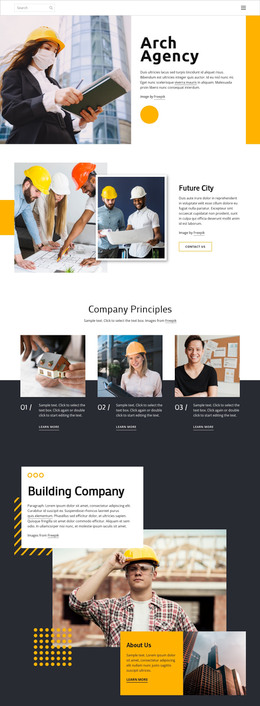
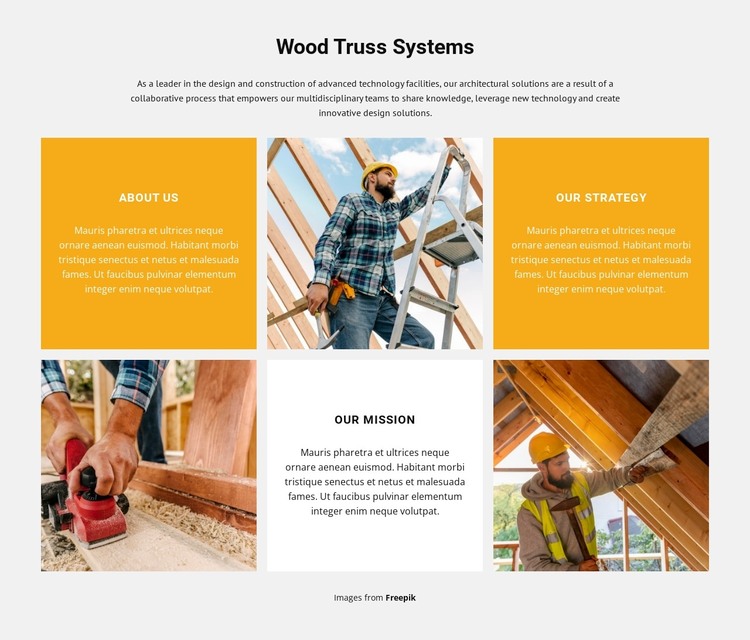
The heading “Wood Truss Systems” and the introductory paragraph provide stable subject-oriented content, while the three labeled panels organize the organization’s message into About Us, Our Strategy, and Our Mission. This makes the block suitable for a permanent About section within a WordPress-managed page, where the surrounding project can hold other content areas separately. The three construction photographs add visual context without turning sample wording into claims about specific projects or achievements.
The block’s two-row, three-column mosaic gives each value statement a consistent visual container. Alternating text and image panels help distinguish the three content units, while equal widths and repeated square photography preserve a coherent presentation as the section is reused. The light gray field, orange and white panels, and centered black typography provide a defined local treatment for this page content.
In a WordPress-oriented project, the section can remain a publishable page area while the broader site manages additional pages and editorial material around it. The content relationship is more important than treating the block as a complete theme: its role is to present organizational values and architecture-related context in one stable section. If the wording is later updated, the visual structure can continue to separate About Us, strategy, and mission without changing the block’s underlying composition.
Customize with Nicepage
Open this ready-made template in the WordPress Website Builder and customize it visually in the Nicepage editor. Replace demo content, edit page sections, and adapt the design to your project without rebuilding the template from scratch.
Edit Template Offline
2. Create a new page or select existing
3. Click Add new block, search for id 5991457 and click enter
Edit Template Online
Create Awesome Websites


Free Nicepage Builder
Keywords
Manage and Edit This Theme in WordPress
Customize and Install the WordPress Theme
Start with this ready-made theme instead of building the WordPress design from scratch. Customize its layout, content, typography, images, sections, and other design elements visually in Nicepage editor, then export and install the WordPress Theme, Plugin, and Pages on your WordPress site. The Nicepage WordPress Plugin lets you continue working with the site after installation.
Edit the Theme Directly in WordPress
After installation, you can edit the WordPress Theme directly in WordPress with the Nicepage WordPress Plugin. Use Site Style to customize site Colors, Fonts, Header, Footer, Blog, and Post Page Templates while working within your WordPress website.
Edit WordPress Pages Visually
Use the Nicepage WordPress Plugin to edit page content directly from the WordPress admin area. Open a WordPress Page with Nicepage and visually change its text, images, sections, and other page elements while continuing to manage the Page through WordPress.
WordPress Content and Theme Integration
Use the customized theme with WordPress Pages, Posts, Blog and Post Templates, menus, widgets, and other CMS-managed content. Shared theme elements such as Colors, Fonts, Header, Footer, Blog, and Post Page Templates can be managed as part of the overall site design, while WordPress provides the CMS environment for managing site content.
This workflow combines a ready-made WordPress Theme with visual customization, direct theme editing in WordPress, and continued content management through the Nicepage WordPress Plugin.