
About our services WordPress Theme


A Structured Feature Area for WordPress Page Content
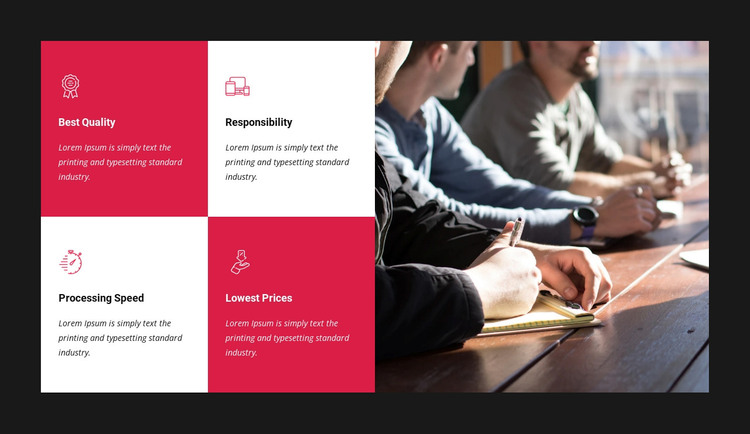
The two-by-two feature grid gives this section a stable page-content role for a WordPress-managed site. Four peer items share the same internal pattern: an icon introduces the point, a short title names it, and a supporting paragraph provides room for explanation. The visible labels—Best Quality, Responsibility, Processing Speed, and Lowest Prices—can act as content categories for a services or business-information area, while the placeholder text should be replaced with the site's own descriptions rather than treated as finished claims.
On the right, the tall photograph of people working at a table supplies contextual imagery without interrupting the relationship among the four feature items. The full-height crop balances the compact grid, and the alternating red and white tile backgrounds make each item distinguishable while preserving a shared layout. A dark charcoal section background contains both sides as one visual unit. In WordPress-oriented page content, this arrangement can remain a reusable feature area on a stable services or company page while other CMS-managed content handles additional sections elsewhere. The block contributes a defined informational region, not an entire theme or site, and its static presentation keeps the four points visible for straightforward reading and comparison.
Customize with Nicepage
Open this ready-made template in the WordPress Website Builder and customize it visually in the Nicepage editor. Replace demo content, edit page sections, and adapt the design to your project without rebuilding the template from scratch.
Edit Template Offline
2. Create a new page or select existing
3. Click Add new block, search for id 57204 and click enter
Edit Template Online
Create Awesome Websites


Free Nicepage Builder
Keywords
Manage and Edit This Theme in WordPress
Customize and Install the WordPress Theme
Start with this ready-made theme instead of building the WordPress design from scratch. Customize its layout, content, typography, images, sections, and other design elements visually in Nicepage editor, then export and install the WordPress Theme, Plugin, and Pages on your WordPress site. The Nicepage WordPress Plugin lets you continue working with the site after installation.
Edit the Theme Directly in WordPress
After installation, you can edit the WordPress Theme directly in WordPress with the Nicepage WordPress Plugin. Use Site Style to customize site Colors, Fonts, Header, Footer, Blog, and Post Page Templates while working within your WordPress website.
Edit WordPress Pages Visually
Use the Nicepage WordPress Plugin to edit page content directly from the WordPress admin area. Open a WordPress Page with Nicepage and visually change its text, images, sections, and other page elements while continuing to manage the Page through WordPress.
WordPress Content and Theme Integration
Use the customized theme with WordPress Pages, Posts, Blog and Post Templates, menus, widgets, and other CMS-managed content. Shared theme elements such as Colors, Fonts, Header, Footer, Blog, and Post Page Templates can be managed as part of the overall site design, while WordPress provides the CMS environment for managing site content.
This workflow combines a ready-made WordPress Theme with visual customization, direct theme editing in WordPress, and continued content management through the Nicepage WordPress Plugin.





























































