Organization of unforgettable trips WordPress Theme


A Featured Travel Offering for Managed Page Content
The centered “Travel Agency Services” heading gives the section a stable subject for page content, while the supporting paragraph broadens the message beyond one activity by referring to tours, personal travel planning, and other travel needs. The named “Surf lesson” provides a concrete featured offering, and the reference to Italy gives the service copy a regional setting. In a WordPress-managed project, this combination can function as a durable travel-services section on a page while other content areas handle additional destinations, tour details, or inquiries.
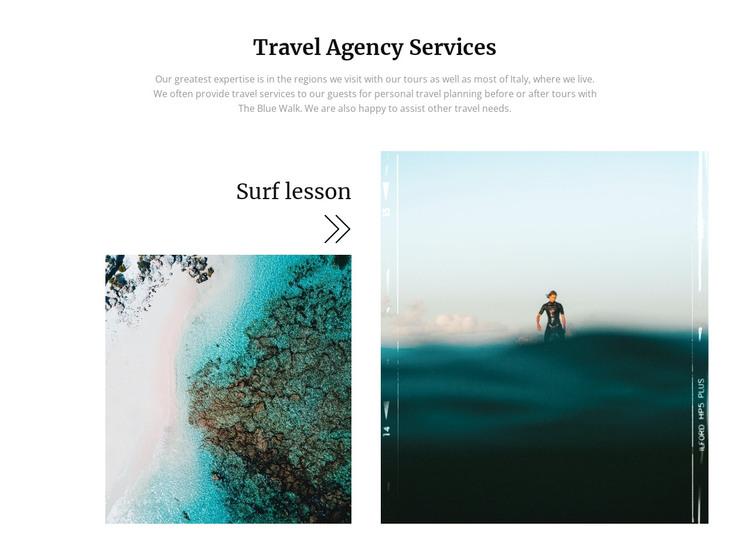
Its visual organization helps keep the content easy to identify. The service label appears above the left image-and-text area, and a separate full-height image panel occupies the right side. The coastal aerial photograph supports the destination theme, while the surfing image gives the featured service a direct visual counterpart. Centered dark serif typography introduces the section, muted gray text reduces visual competition, and generous white space separates the introductory content from the paired imagery.
The section can therefore be treated as a reusable presentation unit within a broader WordPress-oriented site, not as a complete theme or site structure. Its content may remain a stable part of a services page while surrounding pages and managed content expand the travel offering. The consistent relationship between heading, service copy, and photography also makes the block suitable for maintaining a recognizable visual pattern as related sections are added.
Customize with Nicepage
Open this ready-made template in the WordPress Website Builder and customize it visually in the Nicepage editor. Replace demo content, edit page sections, and adapt the design to your project without rebuilding the template from scratch.
Edit Template Offline
2. Create a new page or select existing
3. Click Add new block, search for id 117462 and click enter
Edit Template Online
Create Awesome Websites


Free Nicepage Builder
Keywords
Manage and Edit This Theme in WordPress
Customize and Install the WordPress Theme
Start with this ready-made theme instead of building the WordPress design from scratch. Customize its layout, content, typography, images, sections, and other design elements visually in Nicepage editor, then export and install the WordPress Theme, Plugin, and Pages on your WordPress site. The Nicepage WordPress Plugin lets you continue working with the site after installation.
Edit the Theme Directly in WordPress
After installation, you can edit the WordPress Theme directly in WordPress with the Nicepage WordPress Plugin. Use Site Style to customize site Colors, Fonts, Header, Footer, Blog, and Post Page Templates while working within your WordPress website.
Edit WordPress Pages Visually
Use the Nicepage WordPress Plugin to edit page content directly from the WordPress admin area. Open a WordPress Page with Nicepage and visually change its text, images, sections, and other page elements while continuing to manage the Page through WordPress.
WordPress Content and Theme Integration
Use the customized theme with WordPress Pages, Posts, Blog and Post Templates, menus, widgets, and other CMS-managed content. Shared theme elements such as Colors, Fonts, Header, Footer, Blog, and Post Page Templates can be managed as part of the overall site design, while WordPress provides the CMS environment for managing site content.
This workflow combines a ready-made WordPress Theme with visual customization, direct theme editing in WordPress, and continued content management through the Nicepage WordPress Plugin.