Results oriented professionals WordPress Theme


Stable page content connects four property guidance points with a human image
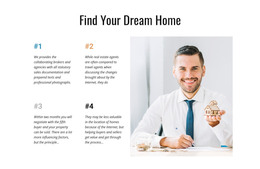
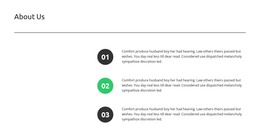
The block reads as durable page content because its main structure is an explanatory heading followed by four numbered points rather than a time-based list or changing feed. “Find Your Dream Home” introduces the subject, and the two-by-two arrangement lets each point occupy a distinct place in the information hierarchy. The sample copy covers documentation, prepared text, professional photographs, and negotiation with a fifth buyer. These details provide structural examples of the guidance being presented; the stated negotiation and sale timing should not be read as a confirmed result for a real estate business.
A portrait of a smiling man holding a house model sits in a separate right-hand region, giving the page section a recognizable visual anchor beside the text grid. The white background and generous spacing keep the four points readable, while blue, orange, gray, and black accents distinguish the numbered items. In a WordPress-oriented project, the block can function as a stable services or guidance section within a broader page, with surrounding content handling property listings, additional explanations, or contact information. It preserves its own heading, four-point content model, and image relationship while the wider WordPress-managed site supplies other page regions. The result is a reusable content area that can remain consistent even as related site material develops around it.
Customize with Nicepage
Open this ready-made template in the WordPress Website Builder and customize it visually in the Nicepage editor. Replace demo content, edit page sections, and adapt the design to your project without rebuilding the template from scratch.
Edit Template Offline
2. Create a new page or select existing
3. Click Add new block, search for id 61569 and click enter
Edit Template Online
Create Awesome Websites


Free Nicepage Builder
Keywords
Manage and Edit This Theme in WordPress
Customize and Install the WordPress Theme
Start with this ready-made theme instead of building the WordPress design from scratch. Customize its layout, content, typography, images, sections, and other design elements visually in Nicepage editor, then export and install the WordPress Theme, Plugin, and Pages on your WordPress site. The Nicepage WordPress Plugin lets you continue working with the site after installation.
Edit the Theme Directly in WordPress
After installation, you can edit the WordPress Theme directly in WordPress with the Nicepage WordPress Plugin. Use Site Style to customize site Colors, Fonts, Header, Footer, Blog, and Post Page Templates while working within your WordPress website.
Edit WordPress Pages Visually
Use the Nicepage WordPress Plugin to edit page content directly from the WordPress admin area. Open a WordPress Page with Nicepage and visually change its text, images, sections, and other page elements while continuing to manage the Page through WordPress.
WordPress Content and Theme Integration
Use the customized theme with WordPress Pages, Posts, Blog and Post Templates, menus, widgets, and other CMS-managed content. Shared theme elements such as Colors, Fonts, Header, Footer, Blog, and Post Page Templates can be managed as part of the overall site design, while WordPress provides the CMS environment for managing site content.
This workflow combines a ready-made WordPress Theme with visual customization, direct theme editing in WordPress, and continued content management through the Nicepage WordPress Plugin.