Choose a photographer WordPress Theme


Stable About Content Across Four Distinct Page Regions
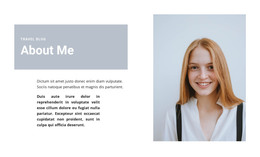
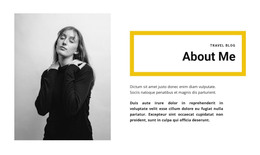
The section reads as stable, publishable About content rather than a time-sensitive list. The main heading names the multimedia collaboration topic, the gray paragraph panel provides a compact introduction, and the portrait adds a visual reference before the three supporting text pairs. This content relationship can fit a WordPress-managed page as one reusable section while the broader project handles its other pages, editorial material, and site-level structure separately.
The four-column layout keeps each content role visible. The serif heading creates the strongest typographic entry point; the smaller sans-serif paragraph lowers the emphasis for context; and the portrait interrupts the text with a single human image. The rightmost stack then expands the subject through three distinct heading-and-description groups, with generous vertical spacing that supports scanning. In a WordPress-oriented project, the text areas can be updated as page content while the visual pattern remains consistent. The block does not need to carry the functions of a complete theme: it contributes one clearly bounded About region whose heading, image, paragraph panel, and repeated details can sit alongside other managed content.
Customize with Nicepage
Open this ready-made template in the WordPress Website Builder and customize it visually in the Nicepage editor. Replace demo content, edit page sections, and adapt the design to your project without rebuilding the template from scratch.
Edit Template Offline
2. Create a new page or select existing
3. Click Add new block, search for id 209433 and click enter
Edit Template Online
Create Awesome Websites


Free Nicepage Builder
Keywords
Manage and Edit This Theme in WordPress
Customize and Install the WordPress Theme
Start with this ready-made theme instead of building the WordPress design from scratch. Customize its layout, content, typography, images, sections, and other design elements visually in Nicepage editor, then export and install the WordPress Theme, Plugin, and Pages on your WordPress site. The Nicepage WordPress Plugin lets you continue working with the site after installation.
Edit the Theme Directly in WordPress
After installation, you can edit the WordPress Theme directly in WordPress with the Nicepage WordPress Plugin. Use Site Style to customize site Colors, Fonts, Header, Footer, Blog, and Post Page Templates while working within your WordPress website.
Edit WordPress Pages Visually
Use the Nicepage WordPress Plugin to edit page content directly from the WordPress admin area. Open a WordPress Page with Nicepage and visually change its text, images, sections, and other page elements while continuing to manage the Page through WordPress.
WordPress Content and Theme Integration
Use the customized theme with WordPress Pages, Posts, Blog and Post Templates, menus, widgets, and other CMS-managed content. Shared theme elements such as Colors, Fonts, Header, Footer, Blog, and Post Page Templates can be managed as part of the overall site design, while WordPress provides the CMS environment for managing site content.
This workflow combines a ready-made WordPress Theme with visual customization, direct theme editing in WordPress, and continued content management through the Nicepage WordPress Plugin.