
Portrait Website Templates
Photographers and portrait artists need room for distinct bodies of work, commission information, and personal credibility. Portrait website templates help turn those needs into a connected home page, portfolio, about section, and inquiry path.




























Other Art & Design Website Templates
Professional Portrait Website Templates
A ready-made website for a portrait photographer or commission artist needs to showcase the work, explain the services, and accept inquiries. Portrait website templates arrive with sample sections for these jobs, though coverage varies. A studio photographer needs a short route from sample sessions to a booking request. A painter's buyers study finished pieces and commission terms before they ask about an order. The best starting point is the template whose structure already follows these routes.
Review Website Sections and Client Routes
Corporate headshots and family portraits often attract different clients, so each group should reach its own service description. A familiar route starts at Home, introduces the photographer, then moves to Portfolio, which features the collections. From there, Services and Contact should be one click away. Before settling on one, look for these signs:
- Gallery sections that keep corporate headshots apart from painted commissions, while smaller sets share one gallery.
- A services or commissions area with room for the session format, the result, and the preparation time.
- An inquiry form you can reach from the relevant service or gallery without hunting through the menu.
- An About section that fits the practice, such as working style for a photographer or past commissions for a painter.
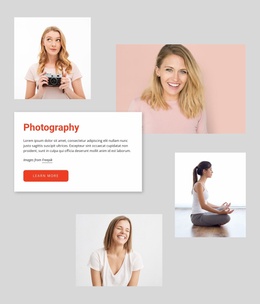
Card names only hint at what is inside. Amazing Portrait Art, built around a photography workshop, suits a portrait-course teacher far better than a studio selling individual sessions.
Choose Navigation That Can Grow
Portfolios rarely stay the same size. Pet portraits with separate prices and delivery times deserve their own section, while a small sideline on similar terms can stay in the main gallery. One service and a small collection fit into a compact site that runs as a single scroll. Several directions usually need separate sections with their own menu items, and the menu should stay short and ordered as galleries are added. Nicepage can start the whole project from a ready set of linked sections, and its Site Basics documentation shows where each part of that set appears. Because those parts share one header, a section added next year keeps the same navigation.
One Studio, Two Services, Three Collections
Picture a photographer selling commercial headshots and personal sessions, with one commercial series and two personal ones that feel very different. A marketing manager should go straight from the headshot collection to the corporate session terms. A private client browsing the personal work should reach the session details just as quickly. Neither should have to return to Home and start over. Pick the template that already supports both routes and will need the least rework when a new service appears.