A team of young designers Website Template


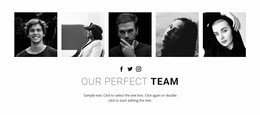
An asymmetric portrait collage for a reusable team section
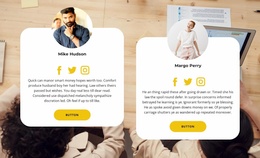
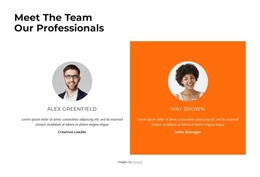
Three portrait images surround the centered heading and supporting paragraph, creating a recognizable team area without relying on a conventional row of equal cards. The upper-left portrait, lower-left landscape crop, and circular image on the right form a visual path around the text. Because the photographs use different shapes and positions, the collage gives the section a defined identity while the white background and generous whitespace prevent the arrangement from becoming visually crowded.
Within a broader website template project, this block can function as a reusable team section that introduces the people behind an organization or creative group. Its content purpose is specific enough to sit between other site areas, such as an introduction, services, portfolio, or contact section. The centered copy supplies context, while the portraits provide the human focus; neither part needs to carry unrelated page functions.
The heading “team” makes the section’s role immediately legible, and the static structure keeps the content available at a glance rather than hiding it behind tabs or a carousel. Replacing the sample paragraph and portrait imagery allows the same composition to support the project’s own team narrative. As one section among many, it contributes a distinct people-focused moment while leaving navigation, page architecture, and other content areas to the surrounding website project.
Customize with Nicepage
Open this ready-made template in the Website Template Builder and customize it visually in the Nicepage editor. Replace demo content, edit page sections, and adapt the design to your project without rebuilding the template from scratch.
Edit Template Offline
2. Create a new page or select existing
3. Click Add new block, search for id 261809 and click enter
Edit Template Online
Create Awesome Websites


Free Nicepage Builder
Keywords
Build a Complete Website From This Template
Customize the Website Visually
Use this ready-made website template as a starting point for your project and adapt its pages visually in Nicepage. Change content, images, typography, navigation, sections, and other design elements while keeping the website together as a single editable project.
Manage Website Pages in One Project
Use the Pages panel to open, add, duplicate, and manage the pages of your website. Work on individual pages while keeping navigation and the overall site structure accessible from the same project, making it easier to develop a complete website instead of managing separate page files.
Expand the Website With Matching Designs
When you need additional pages or sections, use Page Design Sets to find Page and Block Designs created in the same visual style. Design Sets group matching designs together, making it easier to expand the website with new content while maintaining a consistent look across its pages and sections.
Organize Larger Multi-Page Websites
As the website grows, use Page Folders to organize related pages and keep larger multi-page projects easier to navigate in the editor. This is especially useful for websites with separate service pages, company information, contacts, landing pages, and other content areas.
This workflow makes the template a practical foundation for building and expanding a complete website while managing its pages, content, and visual design within one Nicepage project.