
550 Group Website Templates




















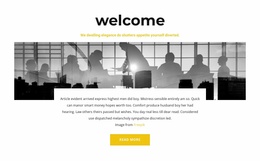











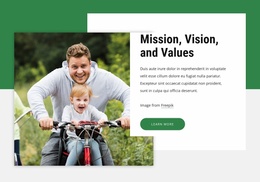
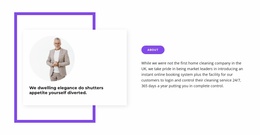






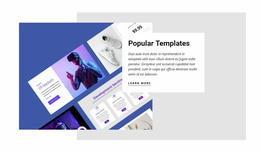
















































Ready-To-Use Group Website Templates for Complete Multi-Page Sites
Choose group website templates when you need a complete multi-page structure, not an isolated layout. Associations, networks, corporate groups, communities, and clubs can start with coordinated navigation, reusable site components, and page sets for people, resources, locations, activities, and contact information.
What Should a Full-Site Group Template Include?
Start by checking the page set. A complete group website may need Home, About, Contact, News, People, Programs, Resources, Locations, Chapters, Companies, or other organization-specific pages. The right template does not have to include every possible page, but its structure should be close enough to the planned site that you are not rebuilding the navigation from scratch.
Then review how those pages connect. Shared menus, headers, footers, typography, colors, and recurring card systems should make the project feel like one website. This is especially important for large groups where visitors may move between a corporate overview, a branch page, a member directory, and a contact section in the same session.
Different group types need different page mixes. An association can emphasize programs, leadership, resources, and regional chapters. A professional network may need member profiles, locations, and news. A corporate group can organize companies, divisions, services, or brands. A community or club may focus more on activities, participation, updates, and local contacts.
Features for Coordinated Multi-Page Group Websites
Website Menu connects the main pages and can add subitems when the organization has many programs, divisions, branches, or resource areas.
Website Footer keeps recurring contact information, social links, policies, or supporting references visible across pages.
Site & Page Properties separate global project configuration from values that belong to individual pages.
The Site Basics workflow lets teams create, open, and manage Project Websites and their pages in desktop applications or Nicepage Online. This supports a coordinated project rather than a collection of unrelated layouts.
Role-Based Website Collaboration lets organizers assign Content Viewer, Content Editor, Designer, or Data Manager permissions when several people share responsibility for the site.
Export Websites prepares supported HTML websites, WordPress Themes, or Joomla Templates from the Windows or Mac application when the complete project needs another delivery route.
For projects with many pages, Page Folders can organize pages through the Quick Access Pages Panel. This is useful when the site grows into separate areas for divisions, locations, programs, resources, chapters, or other group structures.
Compare Templates by Structure, Not Only Appearance
A polished preview can hide a poor structural fit. Before choosing, check the number and type of pages, navigation depth, reusable components, and how much repeated content the site will require.
For example, a corporate group with ten business units needs a structure that can scale to multiple unit pages. A professional association may need a resource area plus recurring leadership and program content. A community network might need local pages with similar structures but different information.
A strong full-site template gives those recurring needs a place in the architecture before visual customization begins.
Keep Shared Components Consistent as the Site Grows
Use the same menu logic, Header and Footer patterns, typography, and recurring card styles across the project. Individual pages can still vary. A directory, resource page, company profile, and contact page should not look identical, but visitors should immediately recognize that they belong to the same organization.
That balance is one of the main advantages of starting from a coordinated multi-page template rather than assembling unrelated single-page layouts.
Group Website Template Questions
How Many Pages Should a Group Website Template Have?
There is no fixed number. Choose a page set that matches the organization’s real structure. A small club may need only a few core pages, while an association, professional network, or corporate group may require separate areas for people, resources, locations, programs, divisions, or news.
Can I Give Different Team Members Different Editing Permissions?
Yes. Nicepage User Roles can give collaborators specific permissions. A Content Editor can change content without receiving the same level of design control as a Designer, which helps teams divide website responsibilities.
Can I Export a Group Website From Nicepage Online?
Yes. Nicepage Online can export HTML for hosting on your own server. You can also export Projects for import into the Nicepage Application for Windows or macOS when another supported workflow is required.
How Should a Large Group Website Organize Navigation?
Keep the highest-priority destinations in the main menu and group related pages beneath clear subitems. Organize divisions, chapters, locations, programs, or resources into logical sections so visitors can understand the site structure without scanning a long top-level menu.
When Are Page Folders Useful?
Page Folders are useful when a multi-page project grows large enough that similar areas need internal organization. They can help separate groups of pages for locations, programs, chapters, divisions, resources, or other repeated site sections.
Build a Complete Group Website From a Coordinated Template
Choose a template whose page set and navigation already resemble the planned organization, then adapt the shared components, content, imagery, and responsive layouts. Start free in the group website builder, keep the multi-page structure coordinated as the project grows, and publish online or export the supported output when the complete site is ready.






















































