
Video Website Templates







Flexible Video Website Templates for Media-Focused Sites
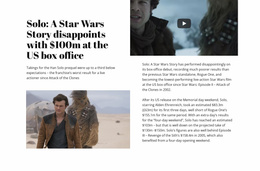
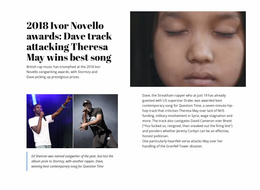
Video Website Templates provide a starting structure for filmmakers, videographers, production studios, vloggers, tutorial projects, and media brands that need more than one isolated player. A complete template can connect a showreel or featured video with project collections, individual viewing pages, About information, and Contact paths so visitors can both watch and explore.
Plan the Core Pages of a Video Website
The exact page set depends on the project, but common structures include:
- Home: showreel, featured project, or latest video.
- Portfolio or Projects: a grid or collection for browsing work.
- Video Library: repeated entries for tutorials, episodes, interviews, or media.
- Project or Video Detail: player, title, description, credits, and related content.
- About: creator, team, studio, or brand background.
- Contact: inquiry details or a clear route for project conversations.
The Nicepage Video Element provides the media component inside these pages. The website template supplies the broader page relationships, navigation, and reusable visual direction.
Keep Collections and Detail Pages Consistent
A video website often repeats the same content pattern many times. Project cards can use consistent poster treatment and titles, while detail pages can repeat the same player, credits, description, and related-content structure. This makes a growing portfolio or library easier to scan.
Consistency should not mean duplication everywhere. A home-page showreel can be cinematic and spacious, while library pages can be denser and optimized for browsing. The template's value is the shared system across those page types, not a requirement that every screen use the same composition.
Keep the Complete Website Structure Coherent
The template should connect its main page types into one understandable system. A home page can introduce the strongest media, collection pages can organize several videos or projects, detail pages can carry the full viewing experience, and About or Contact pages can support the creator, studio, or brand.
The important distinction is site structure rather than isolated layout choice. Visitors should be able to move from discovery to a collection, then into an individual project or video page, without the website feeling like unrelated screens.
Video Website Template Questions
Can I manage several pages that use different sections in one Nicepage project?
Yes. The Nicepage Dashboard can create, open, and manage Project Websites and their individual pages. A Video block remains a functional section you can place wherever the project needs that viewing role.
How should I choose a Video Website Template if I am not a professional designer?
Start with the type of website you need and the page relationships it requires. Choose a template whose Home, collection, detail, About, and Contact structures already fit the project, then adapt the media and visual direction instead of judging only one player section.
What makes a Video Website Template more than a collection of video sections?
It provides connected page types, navigation, collection structures, and reusable detail layouts that work together as a complete website. Individual Video blocks are only components inside that larger structure.
What pages are useful for a filmmaker or production-studio website?
Common choices include Home, Projects or Portfolio, individual project pages, About, and Contact. A larger media brand may also need a dedicated Video Library or category structure.
Can the same website template support both featured videos and a larger library?
Yes. The home page can highlight a small number of important clips while a separate collection page handles browsing. Individual detail pages can then provide the full player and supporting project information.
Adapt the Website Template Around the Real Video Collection
Start with the pages the project actually needs, replace example media with real clips and posters, and refine the navigation between collections and detail views. Use the Video Element where playback belongs, but evaluate the finished template as a complete website structure. A strong result gives visitors clear routes to discover, watch, and understand the media across the site.





















































