
Full Width Slider Website Templates
-

-

-
-
-
-
-
-
-
-
-
-
-
-
-
-
-
-
-
-
-
Customize Any TemplateDownload
-
-
-
-
-
-
-
-
-
-
-
-
-







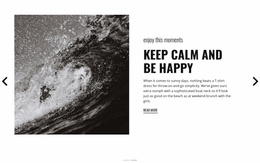




















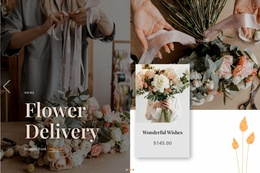




Customizable Full Width Slider Website Templates for Slider-Led Site Designs
Full Width Slider Website Templates combine a complete website design with a Full Width Slider already integrated into the visual composition. The slider often works as the homepage hero or another major focal section, while the surrounding header, navigation, and following content continue the same visual direction.
The key question is not only whether the site contains a slider, but whether that slider already feels like a natural part of the finished website design.
Choose a Website Template With a Strong Slider-Led Homepage
The homepage is usually where the Full Width Slider has the greatest visual impact. It can introduce key services, featured products, portfolio work, campaigns, or brand messages through large imagery or video, text layers, controls, and optional actions.
A strong template keeps the slider connected to:
- the header and navigation directly above or around it;
- the section that follows the slider;
- the same typography, buttons, imagery, and visual tone used across the rest of the design.
This keeps the slider central without turning the page into a generic discussion of website structure.
Check How the Slider Works With Header and Navigation
A homepage hero slider usually sits directly below, beside, or visually connected to the header. That relationship shapes the site's first impression.
Check whether:
- navigation remains readable over or around the slider;
- slide imagery leaves enough space for menu and header elements;
- text layers do not compete with the header;
- the first slide creates a clear visual entry point.
The best Full Width Slider website templates make the hero and navigation feel designed together rather than assembled as separate pieces.
Connect the Slider to the Following Section
The section immediately after the slider matters because it continues the content introduced in the hero.
A strong composition may move from:
- a service slide into a detailed service section;
- a product slide into a product or category showcase;
- a portfolio slide into featured work;
- a campaign slide into supporting content or a focused action.
The goal is continuity around the slider-led homepage, not a review of every page in the site.
Keep the Slider Inside One Visual System
The strongest Full Width Slider website templates repeat the same visual language around the hero. Typography, buttons, image treatment, spacing, and accent colors should support the slider instead of making it feel imported from another design.
Nicepage's Full-Width Slider Element directly supports this block type. It is designed for hero-image or introduction blocks that take the full screen width and can include lead text, call-to-action buttons, and other elements.
Use that flexibility to adapt the slider while preserving its connection to the rest of the website composition.
Treat Responsive Behavior as a Supporting Requirement
The homepage slider should still work on tablets and phones, but responsiveness is a supporting property rather than the main distinction of this category.
Review whether:
- text remains readable oacrossmedia;
- image focal points survive cropping;
- controls remain easy to use;
- the slider height stays proportionate to the rest of the page.
Nicepage supports Responsive Modes for Large Screens, Desktops, Laptops, Tablets, and horizontal and vertical phone views.
Full Width Slider Website Template FAQ
What Makes a Full Width Slider Website Template Different From a Standalone Slider Template?
A standalone Full Width Slider template is chosen mainly for the slider pattern itself—its media, layers, controls, and slide organization. A Full Width Slider Website Template is chosen as a ready-made website where that slider is already integrated with the surrounding header, navigation, following section, and overall site composition.
How Should the Slider Work With Website Navigation?
The navigation should remain clear and visually compatible with the slider, especially when both appear in the same first-screen composition.
What Should Follow a Full-Width Slider on the Homepage?
The next section should continue the subject introduced by the slider, such as services, products, portfolio work, campaign details, or another directly related content area.
Can Typography Stay Consistent Around the Slider?
Yes. Nicepage Site Settings include a Fonts Scheme and Typography Styles for site pages, helping the slider and surrounding sections use the same visual system.
Can the Slider Be Customized for Different Screen Sizes?
Yes. Nicepage supports Responsive Modes for large screens, desktops, laptops, tablets, and phone views, allowing the slider composition to be adapted across devices.
Choose a Website Template With an Integrated Full Width Slider
Select a website template where the Full Width Slider is already connected to the header, navigation, following content, and overall visual system. Then adapt the slides, imagery, text, controls, and actions while keeping the slider-led homepage composition coherent.





















































