
Brands Website Templates





























Professional Brands Website Templates for Complete Brand-Focused Sites
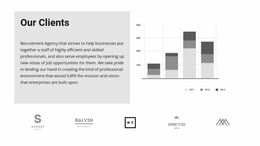
Brands Website Templates place client, partner, sponsor, or supported-brand relationships inside a complete website structure rather than treating logos as an isolated decorative row. A trust strip can reinforce the hero, while partner or compatibility marks can support services, case studies, product sections, or other parts of the site as navigation and surrounding content shape the overall visitor experience.
Build Brand Proof Into a Complete Website Structure
The strongest placement depends on what the logos represent.
- Client marks can appear below the hero as immediate proof.
- Partner logos can sit near collaboration or case-study content.
- Supported-platform marks can strengthen a product or technology section.
For a logo-led proof area, a logo-focused section can help frame the same recognition task around mark size, spacing, and supporting context. Within a website template, that proof should also connect naturally with navigation, introductory content, service or product sections, and calls to action.
Connect Client, Partner, and Sponsor Logos to Relevant Site Sections
A Brands section is most useful when it supports content visitors are already reading.
- Client logos near services can reinforce market experience.
- Partner marks near case studies can support a collaboration story.
- Compatibility logos beside product information can identify supported tools or platforms.
In Nicepage, the Image Element provides the direct visual element for individual brand marks. The surrounding page structure gives those marks context through section order, headings, nearby content, and the wider site hierarchy.
Keep the Brands Section Consistent With the Site Experience
The logo area should support the visual language of the complete website. Spacing, backgrounds, and section width can help it sit naturally between the hero, services, case studies, product content, or footer without creating a competing focal point.
On smaller screens, the logo arrangement can simplify as needed, but it should remain connected to the same content sequence and overall site experience.
Use Brand Relationships to Strengthen the Main Message
Brands content should add trust or context where it matters most.
- A service business can show clients near its capabilities.
- An event site can place sponsor marks near event information.
- A software product can show integration logos close to feature content.
When sponsorship is the key relationship, sponsor-focused blocks provide a natural adjacent use case. Supporting copy can explain the role while logos provide quick recognition.
Keep Mixed Logo Collections Visually Consistent
Logo sections often contain assets with different shapes, colors, and visual weight. Consistent spacing, background treatment, and alignment help them read as one intentional collection.
The Brands area does not need to dominate the site. Its role is to make important relationships visible while the wider website continues to present products, services, case studies, company information, or other core content.
Brands Website Templates FAQ
Can I Start With Pre-Designed Nicepage Content for a Brands Section?
Yes. Nicepage provides pre-designed Elements and Blocks that can be placed on the visual canvas and adapted with client, partner, sponsor, or compatibility logos and supporting content.
Can Nicepage AI Generate a Starting Block for This Section?
Yes. Nicepage AI Services can generate sites, pages, and blocks. A generated block can then be refined around the logo set, relationship type, and surrounding website content.
Where Can a Brands Section Appear on a Website?
It can sit below the hero as client proof, near services or case studies as a partner section, beside product content for compatibility marks, or close to event information for sponsors.
How Should a Brands Section Fit Into the Overall Website?
It should support the surrounding navigation, content hierarchy, and page sequence without becoming a competing focal point. On smaller screens, the logo arrangement can adapt while remaining part of the same overall site experience.
Create a Site Where Brand Relationships Have a Clear Role
Choose a website structure that fits the main content, then place the Brands section where client, partner, sponsor, or compatibility proof adds useful context. Open the layout in the Nicepage editor, replace the marks, review the section together with navigation and neighboring content, and refine the complete site so those relationships support the overall visitor experience.





















































