
Freight Transportation HTML Templates
For carriers that need direct website files, freight HTML templates organize service, cargo, route, terminal, and quote content into reusable markup sections. This provides a practical foundation without tying the project to a CMS workflow.



















































































Other Cars & Transportation HTML Templates
Editable Freight Transportation HTML Templates for Logistics Sites
With a freight transportation HTML template, the finished design leaves Nicepage as a folder of files you can run on your own server or hand off to a developer. Templates in the category range from a single page to a full carrier site with service and fleet pages. You don't have to edit the HTML source to customize one, because you can add truck photos and terminal addresses through the Nicepage editor.
Layouts Carriers Lean On
Whatever the page count, freight demos often include layouts that match everyday dispatch work:
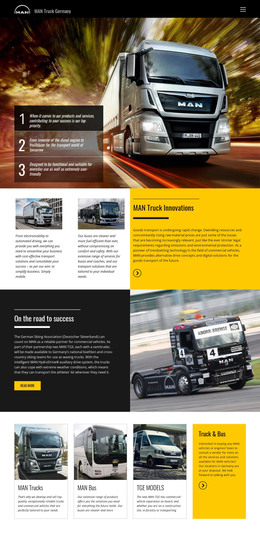
- A heavy-haul or oversized cargo page with space for photos of past moves, since that kind of work sells on proof far more than on adjectives.
- A quote form that can take extra fields for freight class, pallet count, and pickup ZIP code, which an LTL desk needs before it can price a shipment.
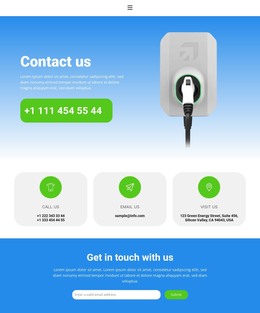
- A contact layout that lists several terminals with their own phone numbers, so each shipper can call the yard nearest their dock.
Every page exports as its own file, so you can lift a single layout into a project you already run. Images and scripts travel with the pages, and the folder works on an ordinary hosting plan.
Developer Access Beyond the Editor
Freight sites depend on outside systems that no template can predict, and access to the source is how a developer connects them:
- Shipment tracking often lives in the carrier's transportation management system (TMS), so its widget or lookup field can go straight into the header markup.
- Quote requests can be routed to the company's own form handler, so they land in the CRM that sales and dispatch already use, with nobody retyping them from an inbox.
- An agency rebuilding an aging carrier site can swap the old front end one page at a time while the existing backend keeps working.
Nicepage exports HTML from both the online editor and the desktop app, and the app can also upload the files to your server over FTP.
Judging Source Files Before Committing
When two templates look equally good, open their source and compare how the service sections repeat from page to page. Then check how much of the quote form your developer would have to rewrite to feed the TMS. The one that needs a few targeted edits in those two places will reach launch sooner than a prettier demo whose forms must be rebuilt from scratch.