Festival of creative photographers WordPress Theme


A Stable Image-Led Section for WordPress Page Content
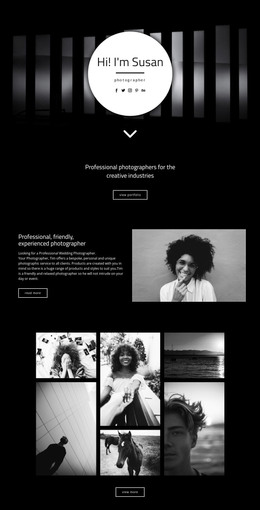
The block’s strongest WordPress-oriented role is as stable visual content on a managed page. Three photographic panels create one recognizable gallery region, with the horizontal sequence allowing several images to be presented without breaking the section into unrelated cards. The seated person in the center panel supplies a human focal point, while the monochrome architectural or interior image on the right changes the visual register. The teal-toned left image provides the surface for the supporting content.
That supporting content is concentrated at the bottom of the left panel. The overlay paragraph is placeholder editing copy, not a finished statement, and can therefore be replaced with a short description suited to the page. Three social links sit beneath it, forming a compact connection layer that can accompany the image presentation. The arrangement keeps the text and links subordinate to the photographs rather than turning the section into a text-heavy article area.
In a WordPress-managed project, the block can provide a durable gallery or showcase section on a page while other content is maintained around it. Its static composition does not depend on a particular publishing sequence or repeated post layout. Instead, it offers a visually consistent region for page content, with the wider WordPress environment handling the surrounding pages and editorial organization.
Customize with Nicepage
Open this ready-made template in the WordPress Website Builder and customize it visually in the Nicepage editor. Replace demo content, edit page sections, and adapt the design to your project without rebuilding the template from scratch.
Edit Template Offline
2. Create a new page or select existing
3. Click Add new block, search for id 62412 and click enter
Edit Template Online
Create Awesome Websites


Free Nicepage Builder
Keywords
Manage and Edit This Theme in WordPress
Customize and Install the WordPress Theme
Start with this ready-made theme instead of building the WordPress design from scratch. Customize its layout, content, typography, images, sections, and other design elements visually in Nicepage editor, then export and install the WordPress Theme, Plugin, and Pages on your WordPress site. The Nicepage WordPress Plugin lets you continue working with the site after installation.
Edit the Theme Directly in WordPress
After installation, you can edit the WordPress Theme directly in WordPress with the Nicepage WordPress Plugin. Use Site Style to customize site Colors, Fonts, Header, Footer, Blog, and Post Page Templates while working within your WordPress website.
Edit WordPress Pages Visually
Use the Nicepage WordPress Plugin to edit page content directly from the WordPress admin area. Open a WordPress Page with Nicepage and visually change its text, images, sections, and other page elements while continuing to manage the Page through WordPress.
WordPress Content and Theme Integration
Use the customized theme with WordPress Pages, Posts, Blog and Post Templates, menus, widgets, and other CMS-managed content. Shared theme elements such as Colors, Fonts, Header, Footer, Blog, and Post Page Templates can be managed as part of the overall site design, while WordPress provides the CMS environment for managing site content.
This workflow combines a ready-made WordPress Theme with visual customization, direct theme editing in WordPress, and continued content management through the Nicepage WordPress Plugin.