The hosting blog WordPress Theme


Edit Template Offline
2. Create new page and search for id 6515685
Edit Template Online
Create Awesome Websites


Free Nicepage Builder
Keywords
Editorial Post Areas Fit a Content-Managed Creative Theme
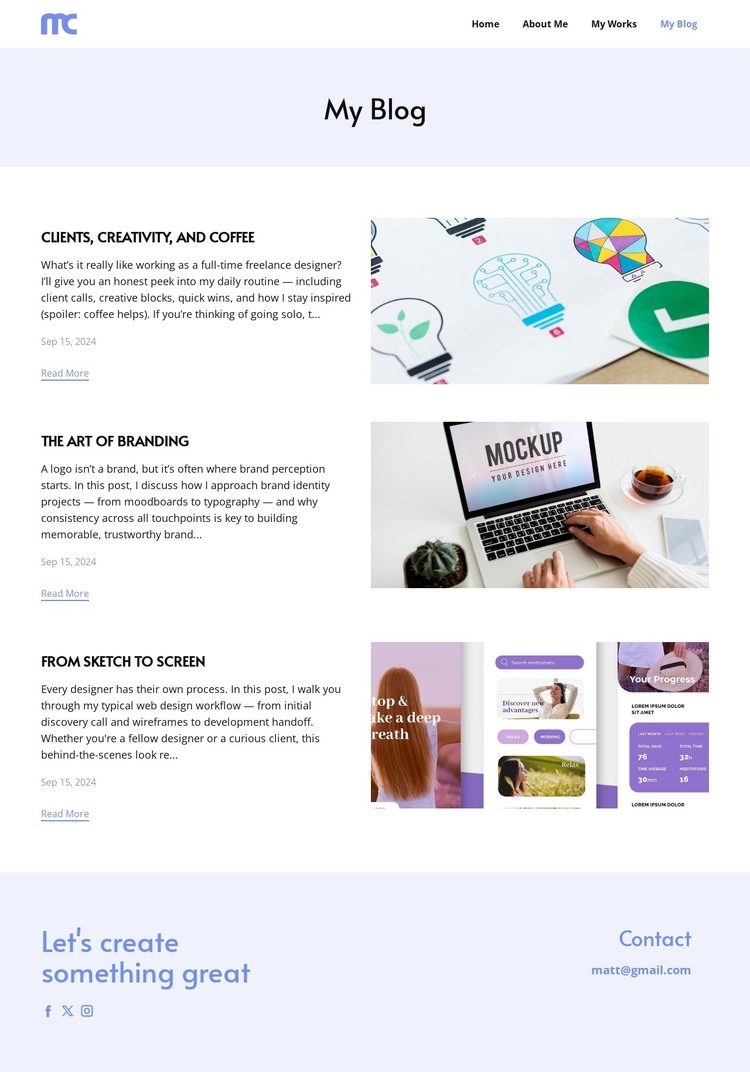
The three repeated entries provide the clearest connection to a WordPress-managed content model because each one has the visual parts readers expect from an editorial listing: a subject, supporting excerpt, date, image, and Read More destination. Their topics—freelance work, branding, and the route from sketch to screen—can represent different strands of a designer’s published perspective while remaining inside one visual system. The repeated row pattern also gives future content a recognizable presentation without requiring the page to claim that particular WordPress posts or categories already exist.
The surrounding regions support permanent site content. Home, About Me, My Works, and My Blog create page-oriented navigation, while the footer gathers a personal closing statement, social profiles, and an email contact channel. That combination lets editorial material sit alongside stable identity and portfolio destinations in a broader theme interpretation. The pale lavender title band and white article area can continue to distinguish the blog from those other content areas while preserving the same typography and spacing logic. Nicepage’s WordPress Plugin is an optional bridge for working with a WordPress site, but the template-specific value comes first from the relationship between recurring article content, site navigation, and direct contact—not from assuming that CMS structures are already present.
Customize with Nicepage
Open this ready-made template in the WordPress Website Builder and customize it visually in the Nicepage editor. Replace demo content, edit page sections, and adapt the design to your project without rebuilding the template from scratch.
Manage and Edit This Theme in WordPress
Customize and Install the WordPress Theme
Start with this ready-made theme instead of building the WordPress design from scratch. Customize its layout, content, typography, images, sections, and other design elements visually in Nicepage editor, then export and install the WordPress Theme, Plugin, and Pages on your WordPress site. The Nicepage WordPress Plugin lets you continue working with the site after installation.
Edit the Theme Directly in WordPress
After installation, you can edit the WordPress Theme directly in WordPress with the Nicepage WordPress Plugin. Use Site Style to customize site Colors, Fonts, Header, Footer, Blog, and Post Page Templates while working within your WordPress website.
Edit WordPress Pages Visually
Use the Nicepage WordPress Plugin to edit page content directly from the WordPress admin area. Open a WordPress Page with Nicepage and visually change its text, images, sections, and other page elements while continuing to manage the Page through WordPress.
WordPress Content and Theme Integration
Use the customized theme with WordPress Pages, Posts, Blog and Post Templates, menus, widgets, and other CMS-managed content. Shared theme elements such as Colors, Fonts, Header, Footer, Blog, and Post Page Templates can be managed as part of the overall site design, while WordPress provides the CMS environment for managing site content.
This workflow combines a ready-made WordPress Theme with visual customization, direct theme editing in WordPress, and continued content management through the Nicepage WordPress Plugin.