
Top original photos WordPress Theme


MONITOR Turns Review Copy Into a Stable WordPress Page Section
The single MONITOR heading makes the block easy to treat as stable page content in a WordPress-managed project. Its paragraph expands that label with references to regular meetings, reviews, KPIs, monitoring, and progress, creating a focused explanation of one review stage. Rather than behaving like a stream of dated editorial entries, the section reads as durable information that can remain part of a broader page while related content evolves elsewhere.
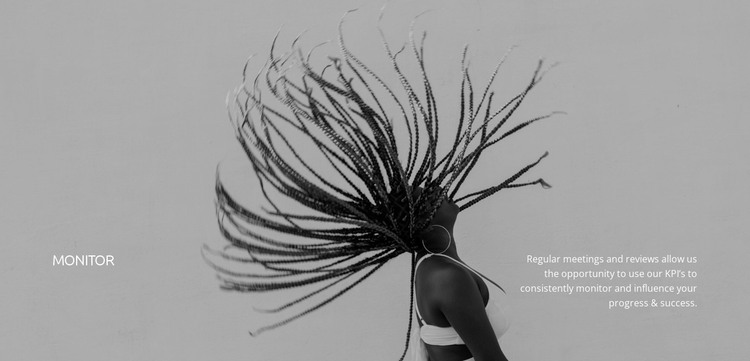
The visual structure reinforces that permanence. The heading occupies the left side and the explanatory paragraph occupies the right, so the section has a clear entry point followed by supporting detail. Both text areas sit over a full-width grayscale photographic background with a dark overlay, while white typography maintains contrast across the image. The static arrangement has no verified controls or changing states; its function comes from the relationship between the label, the process description, and the background treatment.
As part of WordPress-managed page content, the block can present this monitoring message alongside other sections covering a wider method or service. The surrounding project can manage additional pages and content, while this reusable section preserves one recognizable visual and informational role. That separation keeps the MONITOR block useful without expanding it into a complete theme or page structure.
Customize with Nicepage
Open this ready-made template in the WordPress Website Builder and customize it visually in the Nicepage editor. Replace demo content, edit page sections, and adapt the design to your project without rebuilding the template from scratch.
Edit Template Offline
2. Create a new page or select existing
3. Click Add new block, search for id 41466 and click enter
Edit Template Online
Create Awesome Websites


Free Nicepage Builder
Keywords
Manage and Edit This Theme in WordPress
Customize and Install the WordPress Theme
Start with this ready-made theme instead of building the WordPress design from scratch. Customize its layout, content, typography, images, sections, and other design elements visually in Nicepage editor, then export and install the WordPress Theme, Plugin, and Pages on your WordPress site. The Nicepage WordPress Plugin lets you continue working with the site after installation.
Edit the Theme Directly in WordPress
After installation, you can edit the WordPress Theme directly in WordPress with the Nicepage WordPress Plugin. Use Site Style to customize site Colors, Fonts, Header, Footer, Blog, and Post Page Templates while working within your WordPress website.
Edit WordPress Pages Visually
Use the Nicepage WordPress Plugin to edit page content directly from the WordPress admin area. Open a WordPress Page with Nicepage and visually change its text, images, sections, and other page elements while continuing to manage the Page through WordPress.
WordPress Content and Theme Integration
Use the customized theme with WordPress Pages, Posts, Blog and Post Templates, menus, widgets, and other CMS-managed content. Shared theme elements such as Colors, Fonts, Header, Footer, Blog, and Post Page Templates can be managed as part of the overall site design, while WordPress provides the CMS environment for managing site content.
This workflow combines a ready-made WordPress Theme with visual customization, direct theme editing in WordPress, and continued content management through the Nicepage WordPress Plugin.


























































