Portfolio WordPress Theme



Stable Portfolio Content for a WordPress-Managed Page
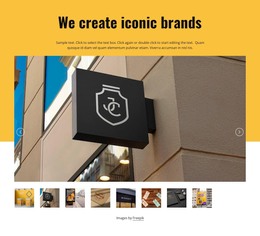
The nine captioned gallery items read as stable page content that can remain part of a WordPress-managed portfolio or work-samples area. The three-column structure gives the content a consistent presentation, while labels for logo mockups, facades, a shopping bag, business cards, and identity design distinguish the individual examples. This is a useful page-oriented arrangement when the visual collection should remain available as a defined section rather than being treated as a temporary announcement.
The dark charcoal background frames the gallery as one reusable content region. Each image remains paired with its caption overlay, so the subject information stays close to the visual it describes. Lightbox behavior supports visitors who need a closer view of a selected sample, adding depth to the page content without changing the section's repeated structure. The centered Freepik credit remains a supporting attribution beneath the collection.
Within a WordPress-oriented site, the broader project can manage additional pages and content around this section while the gallery retains its own visual role. The block does not need to carry the entire publishing system; it contributes a defined portfolio area that can sit on a stable page and be revised as the represented work changes. Its value lies in keeping nine examples, their labels, viewing behavior, and attribution together as one coherent content unit.
Customize with Nicepage
Open this ready-made template in the WordPress Website Builder and customize it visually in the Nicepage editor. Replace demo content, edit page sections, and adapt the design to your project without rebuilding the template from scratch.
Edit Template Offline
2. Create a new page or select existing
3. Click Add new block, search for id 262120 and click enter
Edit Template Online
Create Awesome Websites


Free Nicepage Builder
Keywords
Manage and Edit This Theme in WordPress
Customize and Install the WordPress Theme
Start with this ready-made theme instead of building the WordPress design from scratch. Customize its layout, content, typography, images, sections, and other design elements visually in Nicepage editor, then export and install the WordPress Theme, Plugin, and Pages on your WordPress site. The Nicepage WordPress Plugin lets you continue working with the site after installation.
Edit the Theme Directly in WordPress
After installation, you can edit the WordPress Theme directly in WordPress with the Nicepage WordPress Plugin. Use Site Style to customize site Colors, Fonts, Header, Footer, Blog, and Post Page Templates while working within your WordPress website.
Edit WordPress Pages Visually
Use the Nicepage WordPress Plugin to edit page content directly from the WordPress admin area. Open a WordPress Page with Nicepage and visually change its text, images, sections, and other page elements while continuing to manage the Page through WordPress.
WordPress Content and Theme Integration
Use the customized theme with WordPress Pages, Posts, Blog and Post Templates, menus, widgets, and other CMS-managed content. Shared theme elements such as Colors, Fonts, Header, Footer, Blog, and Post Page Templates can be managed as part of the overall site design, while WordPress provides the CMS environment for managing site content.
This workflow combines a ready-made WordPress Theme with visual customization, direct theme editing in WordPress, and continued content management through the Nicepage WordPress Plugin.